
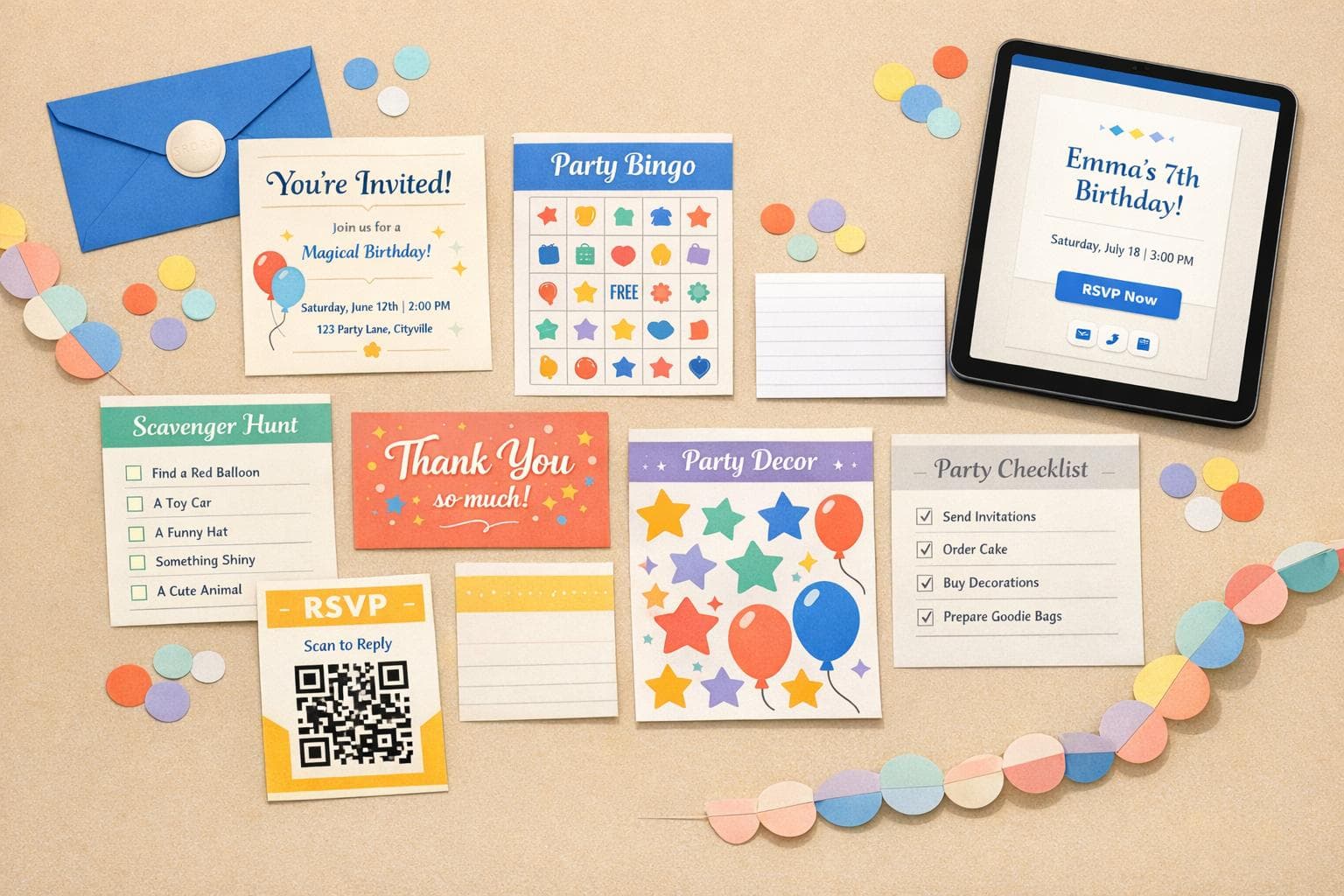
Ultimate Guide To Kids Party Templates
Planning a kids' party can feel overwhelming, but templates simplify the entire process. From invitations to decorations and activities, templates save time and ensure everything looks polished. Here’s why they’re a must-have:
- Save Time: Create personalized invites in minutes using drag-and-drop tools.
- Simplify RSVPs: Digital templates often include built-in RSVP tracking.
- Modern Trends: Digital invites and hybrid parties are becoming popular.
- Theme-Friendly: Templates can match any theme - dinosaurs, space, mermaids, and more.
- Flexible Formats: Use templates for both in-person and virtual gatherings.
Whether you’re planning a backyard bash or a virtual celebration, templates help you stay organized and stress-free while creating memorable experiences for your child and guests.
FREE & Budget-Friendly Kids Party Invitations in Canva | Beginner Friendly Tutorial 🎉
sbb-itb-bc05356
Core Types of Kids Party Templates
When planning a kids' party, templates are your secret weapon. They aren't about cookie-cutter solutions; instead, they help create a unique experience by tackling everything from inviting guests to keeping kids entertained and capturing memories afterward. Let’s break down the key types of templates that make party planning easier and more fun.
Invitation and RSVP Templates
A great party starts with a great invitation. It sets the tone and makes planning a breeze. A well-crafted invitation template should include all the must-haves: the child’s name, age, date, time, address, RSVP deadline, and any special instructions like “bring a swimsuit” or “no gifts, please.” A clear layout means fewer follow-up calls from parents asking for details.
Digital invitations with built-in RSVP tools are a game changer. Platforms like GenderReveal.live let you manage your guest list effortlessly with features like automated reminders and real-time headcount tracking. Pro tip: Set the RSVP deadline 1–2 weeks before the party to give families time to plan and to finalize your preparations.
When it comes to design, stick to a 5x7-inch portrait layout. It’s easy to print and works perfectly for sharing on Instagram or Snapchat Stories. Keep it simple - use no more than 2–3 fonts and ensure the text is easy to read, even on a phone screen.
With the invites done, let’s move on to what happens once the kids arrive.
Game and Activity Templates
Keeping kids entertained can be the trickiest part of any party. Activity templates make it easy by providing ready-to-go, themed fun with minimal effort. Popular options include bingo cards, scavenger hunt checklists, coloring pages, comic strips, and word searches - all of which can be customized to match your party’s theme.
Themed bundles work especially well. For instance, a "Space Adventure" party could include astronaut-themed bingo cards, a scavenger hunt for "moon rocks" hidden around the yard, and rocket-themed coloring pages. Switching themes? No problem - just swap out the graphics and fonts. A mermaid set can easily transform into a camping-themed pack with a few tweaks.
For virtual parties, digital activity templates with animated effects can keep kids engaged, even over a screen. Plus, having a quiet activity like a coloring page or comic strip template on hand can be a lifesaver for kids who need a break from the more energetic games.
Now let’s talk about the finishing touches: decor and memories.
Decor and Memory Templates
Decor templates bring the whole party together visually. Think banners, table signs, food labels, and photo backdrops - these elements create a cohesive look, even if you’re pulling things together at the last minute. When your decor matches the invitation design, it gives the party a polished, well-thought-out feel.
But it’s not just about how the party looks - it’s also about preserving the memories. Digital "Group Cards" are a fun way for guests to leave messages, drawings, or photos for the birthday child, all in one place. Photo collage templates and thank-you card designs are another great way to extend the celebration. They provide families with keepsakes that remind them of the fun long after the party ends.
Templates make party planning less stressful and more enjoyable, allowing you to focus on what really matters - making memories with your child and their friends.
Designing Kid-Friendly Templates
Choosing Themes, Colors, and Fonts
A well-thought-out theme ties every detail of a party together - everything from the invitation to the activity cards feels connected. Kids' favorite themes often reflect their current obsessions: superheroes, dinosaurs, jungle animals, mermaids, space, and unicorns are perennial favorites. For pre-teens, themes like disco, dance parties, or movie nights or online gender reveal ideas strike the right balance.
The child's age plays a big role in picking the right theme. Toddlers and preschoolers are drawn to bright, straightforward visuals, such as rainbows, jungle animals, or characters from Toy Story. Older kids, on the other hand, lean toward more intricate themes like Lego, Harry Potter, or dinosaurs. Aligning the theme with the child's age makes the design feel thoughtful rather than generic.
Color choices also carry a lot of weight in template design. Energetic, bold palettes are ideal for themes like luau or rainbows, while softer tones like pinks and purples pair beautifully with mermaids or unicorns. For camping or safari parties, earthy greens and browns set the perfect tone. Using a consistent color palette across all elements creates a polished, cohesive look.
When it comes to fonts, the key is balance: match the vibe, but ensure everything is easy to read. A playful script font works great for headings in a fairy tale theme, but crucial details like the date, time, and address should always be in a clean, readable font. Stick to two or three fonts at most, and make sure the text size is large enough to be easily read on a phone screen.
Once the design feels unified, it’s time to add personal touches and ensure the template is accessible to everyone.
Personalization and Accessibility
After nailing down the theme and colors, adding personal elements takes the design to the next level. Including the birthday child’s name, age, and even a favorite photo can turn an ordinary template into a keepsake. To make it even more special, incorporate details that reflect the child’s personality - maybe a soccer ball for a sports enthusiast, a stack of books for an avid reader, or a guitar for a music lover.
Accessibility is a detail that’s often overlooked but incredibly important. High-contrast color combinations - like dark text on a light background - make it easier for everyone, including grandparents or guests with visual impairments, to read the invitation without straining. Avoid overly decorative or script fonts for critical information like the venue or RSVP deadline; clean, sans-serif fonts are much easier to read. Digital templates add another layer of accessibility since guests can zoom in or use screen readers when the invite is sent as an e-card or link.
One practical addition that can save a lot of back-and-forth: include a spot in the RSVP section where guests can note any allergies or special accommodations. This simple step helps ensure every child feels included and makes planning the party much smoother.
Tools and Tips for Working with Templates
Best DIY Kids Party Template Tools: Kapwing vs BeFunky vs Template.net
Best Tools for DIY Templates
Creating personalized party invitations has never been easier, thanks to modern DIY design tools. These platforms make it simple to design beautiful, customized invites - even if you have zero design experience.
Here are three standout options for kids' party templates:
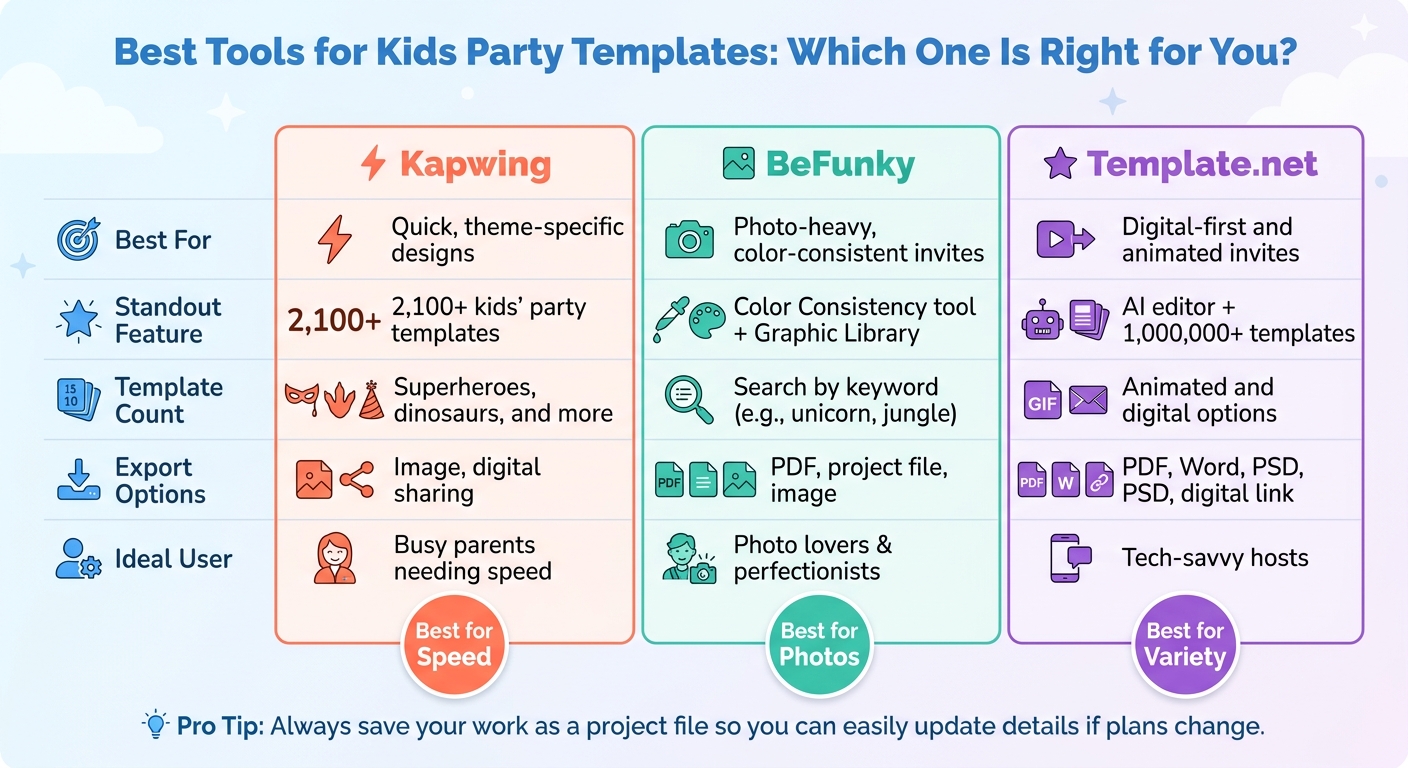
- Kapwing: This online editor offers over 2,100 kids' party templates, covering popular themes like superheroes and dinosaurs. You can easily tweak colors, fonts, and photos to match your vision.
- BeFunky: Perfect for photo-heavy invitations, this platform features a Graphic Library where you can search for themed elements (try keywords like "unicorn" or "jungle"). Its Color Consistency tool ensures your design stays cohesive.
- Template.net: This site takes things further with an AI-powered editor and access to over 1 million templates. It even includes animated options to make your digital invites pop.
| Tool | Best For | Standout Feature | Export Options |
|---|---|---|---|
| Kapwing | Quick, theme-specific designs | 2,100+ kids' party templates | Image, digital sharing |
| BeFunky | Photo-heavy, color-consistent invites | Color Consistency, Graphic Library | PDF, project file, image |
| Template.net | Digital-first and animated invites | AI editor, 1M+ templates | PDF, Word, PSD, digital link |
Pro Tip: Always save your work as a project file. Platforms like BeFunky allow you to reopen and edit your original design, so you can easily update details if plans change.
Once your design is ready, it’s time to print or share it with your guests.
Printing and Sharing Templates
When your design is finalized, exporting it as a PDF is the best option for printing. PDFs maintain high resolution and accurate colors, whether you’re printing at home or at a local print shop. For digital sharing, a PNG is ideal - it’s lightweight and loads quickly on any device.
Need to adjust the layout? For instance, if you’re switching from landscape to portrait for mobile screens, uncheck the "Lock Aspect Ratio" option to resize without warping your design. For virtual party invitations, platforms like Template.net simplify the process by letting you share a direct digital link. This eliminates the hassle of file attachments and ensures easy access for your guests.
For those using platforms like GenderReveal.live, you get added perks like built-in RSVP tracking and interactive features. These tools not only make your invitations look great but also handle guest responses effortlessly.
Whether your event is in person, online, or a mix of both, these export and sharing options ensure your invitations are ready for any format.
Using Templates Across Different Party Formats
Adapting Templates for In-Person and Virtual Parties
A single, well-designed template can work wonders for both in-person and virtual gatherings. There's no need to create separate designs - just adjust the export settings to suit the format.
- For digital use, export your design as a high-resolution PNG or JPG (1,080–2,048 px wide) to ensure clear readability. For print, export as a PDF at 300 dpi with a 0.125-inch bleed to avoid white edges. If printing at home, opt for 80–100 lb cover paper (216–270 gsm) for a polished look.
- Keep text legible across formats by using proper contrast and font sizes. Titles should be between 24–32 pt, and details should fall within 14–16 pt for easy reading.
For virtual attendees, include a dedicated section with the platform name, join link, and any required passwords. Keep instructions brief and straightforward. For example, suggest that guests test their devices about 10 minutes before the event starts to avoid last-minute issues.
Next, let's look at how templates can simplify planning for hybrid events.
Blending Physical and Virtual Elements
Hybrid parties, where some guests attend in person and others join virtually, are becoming more popular. Templates can help create a cohesive experience for everyone, no matter how they participate.
One effective strategy is to design a master template at print quality (300 dpi) and then resize it for digital use. This avoids the blurry graphics that come from trying to upscale a digital image for printing. To maintain a unified feel, stick with the same color scheme, fonts, and graphics across all formats. This way, whether someone receives a printed invite or views it on a screen, the design feels consistent and polished.
Consider adding a QR code to invitations or favor tags. These can link directly to RSVP forms, livestreams, or even a digital memory book where guests can leave messages. Before sending anything out, test the QR codes on at least two devices to ensure they work properly.
For hybrid events, send out invitations 6–8 weeks in advance - longer than the typical 3–4 weeks. This gives you time to ship physical party kits to remote guests. When virtual attendees receive the same materials as in-person guests, such as craft supplies or game items, they can actively participate rather than just watch.
Platforms like GenderReveal.live make managing hybrid events easier. Their tools handle RSVP tracking for both in-person and remote guests, providing real-time head counts and automated reminders. Features like countdown timers, live voting, and message collection also help virtual attendees feel more engaged, ensuring that everyone, no matter where they are, feels like part of the celebration.
Conclusion
Kids' party templates do more than just save time - they take the stress out of planning so you can focus on celebrating your child. From choosing a theme to managing RSVPs, a well-designed template ensures everything stays organized and visually consistent.
These templates also offer a level of flexibility that’s hard to beat. Whether you’re going digital, sticking with print, or combining both, you can adapt a single design to fit any format while keeping the overall look seamless.
And the benefits go beyond just aesthetics:
"Planning a child's birthday in 2025 should be about joy, excitement, and making memories - not chasing down parents for headcounts." - Tom White, Event Planning Expert, Invitfull
For virtual and hybrid parties, the right platform can make all the difference. Tools like GenderReveal.live combine themed templates with features like RSVP management, countdown timers, live voting, and heartfelt message collection. This all-in-one approach keeps both in-person and remote guests engaged, from the first invitation to the final candle blowout. It’s a game-changer for simplifying every step of party planning.
Start with a template, customize it to match your vision, and let the right tools handle the details. Party planning doesn’t have to feel overwhelming - it can actually be fun!
FAQs
What should I include on a kids’ party invitation?
A kids’ party invitation needs to cover the basics: date and time, location (whether it’s in-person or online), and clear RSVP details with a deadline. Don’t forget to include any special instructions or themes, like a dress code or planned activities. Adding a fun, personal touch - like colorful designs or photos - can make it more exciting for kids and parents alike. To give everyone enough time to plan, aim to send out invitations 3–4 weeks in advance.
How can I keep the party design consistent across invites, games, and decor?
To create a seamless party vibe, make sure all elements follow a single theme, color scheme, and style. Use matching design templates or visuals for everything - invites, games, and decorations. Keeping colors, fonts, and graphics consistent helps pull the entire event together, giving it a polished and cohesive feel.
What’s the easiest way to handle RSVPs for a hybrid party?
Managing RSVPs for a hybrid party can be a breeze with a digital RSVP tool. These tools let your guests respond with just a click, keep track of attendance in real time, and even send out automated reminders. For example, platforms like GenderReveal.live simplify the process by offering quick check-ins and providing an accurate headcount. This makes it easy to coordinate both in-person and virtual attendees without the hassle of manual follow-ups.