
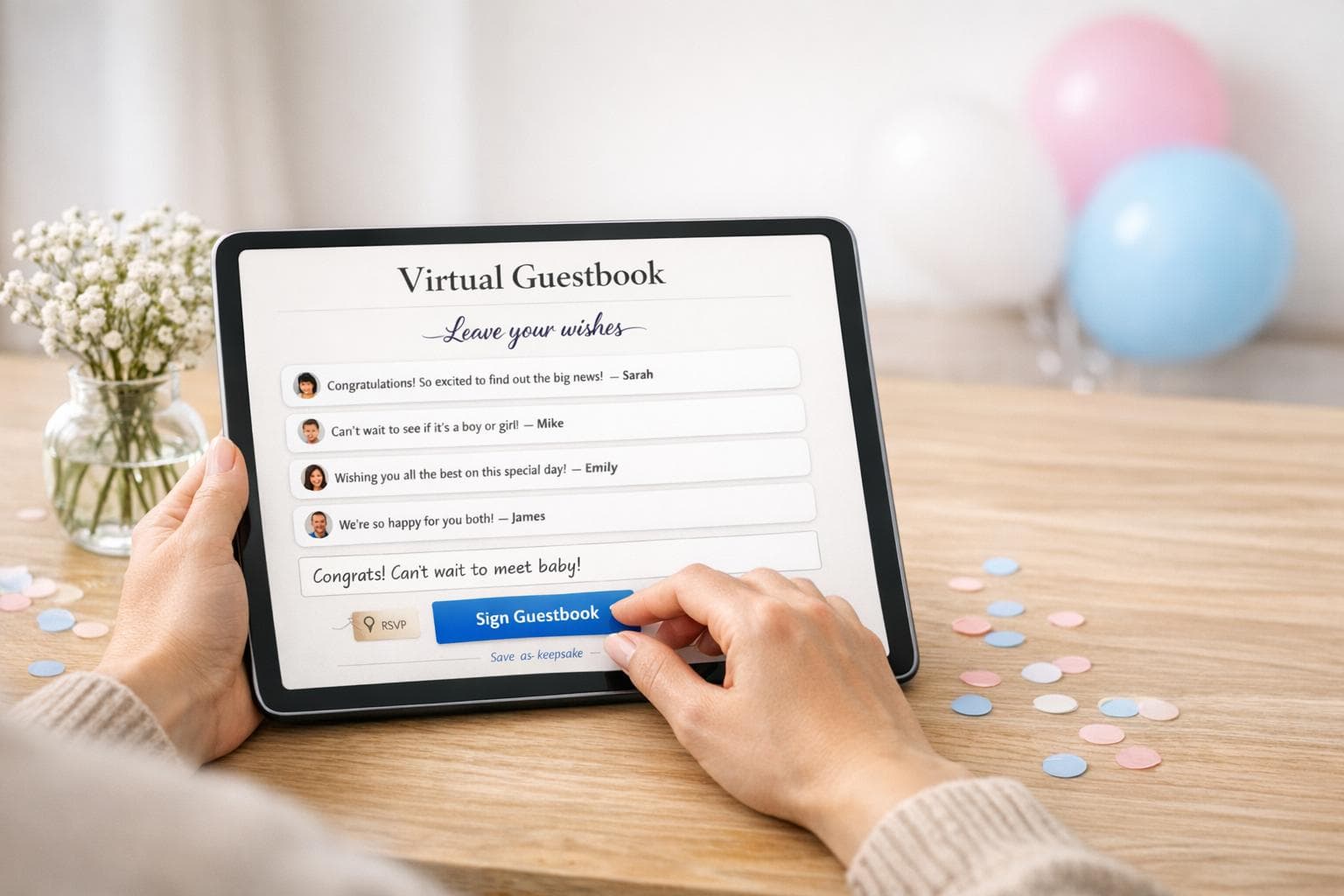
How to Set Up a Virtual Guestbook for Gender Reveals
Planning a gender reveal? A virtual guestbook is a simple way to collect messages, predictions, and advice from loved ones - whether they’re near or far. It creates a keepsake you can revisit anytime. Here's how to get started:
- Choose a Platform: Platforms like GenderReveal.live offer tools for collecting notes, live voting, and managing RSVPs.
- Customize Your Guestbook: Add personal touches like themes, photos, and interactive features such as gender prediction polls.
- Send Invitations: Share event links via email or text, and use automated reminders to keep guests informed.
- Engage Guests Live: Display messages and polls during the event for a shared experience.
- Save the Memories: Download all messages, photos, and reactions after the event for a lasting digital keepsake.
A virtual guestbook ensures everyone can participate, no matter where they are, and helps preserve the joy of the occasion for years to come.
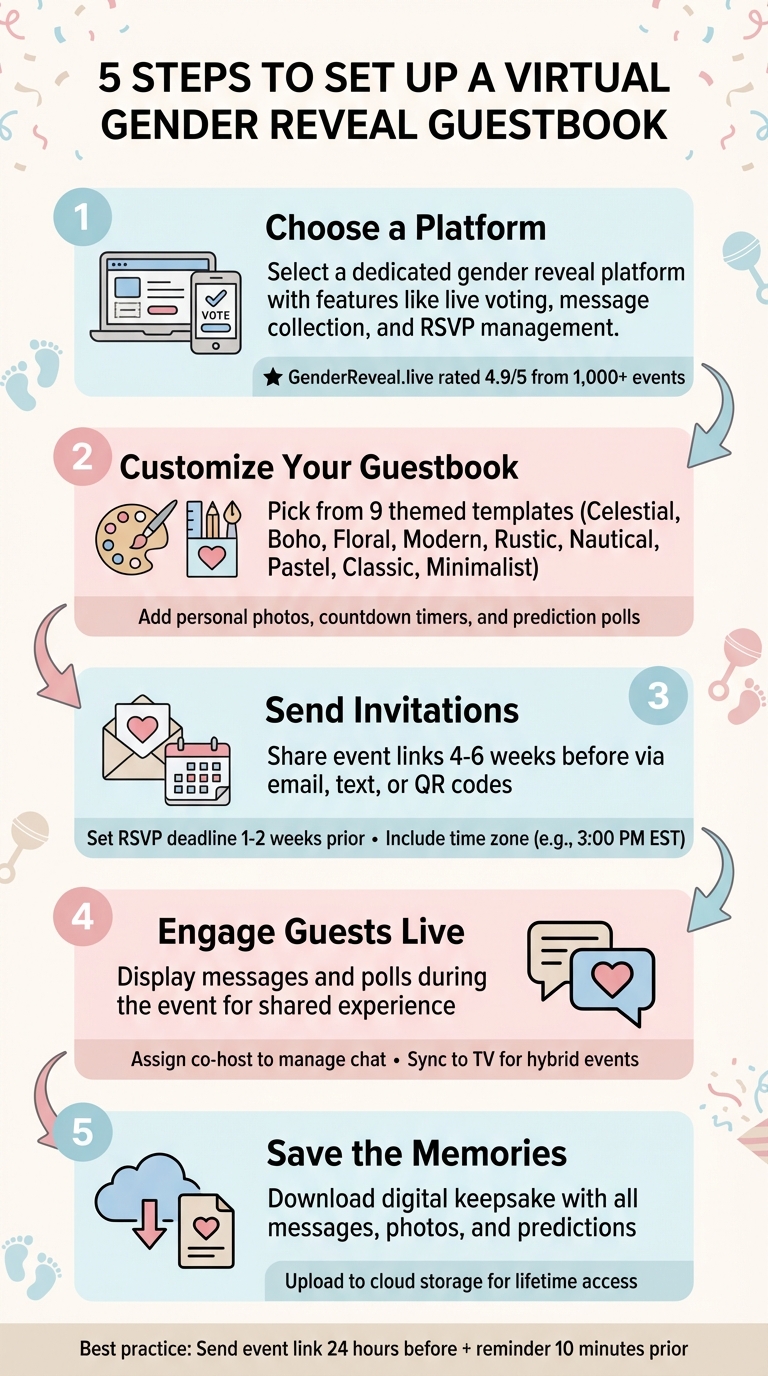
5 Steps to Set Up a Virtual Gender Reveal Guestbook
How To Host A Virtual Gender Reveal!
sbb-itb-bc05356
Step 1: Pick a Platform for Your Virtual Guestbook
A dedicated gender reveal platform can turn an ordinary video call into interactive online gender reveal celebration. These platforms often include features like live gender predictions, message collection, and a surprise-reveal mode, all designed to make the event special.
Choosing the right platform means having everything in one place: a digital guestbook for collecting messages, live voting to engage your guests, and tools to keep the reveal a surprise if that's your plan.
Why GenderReveal.live Stands Out
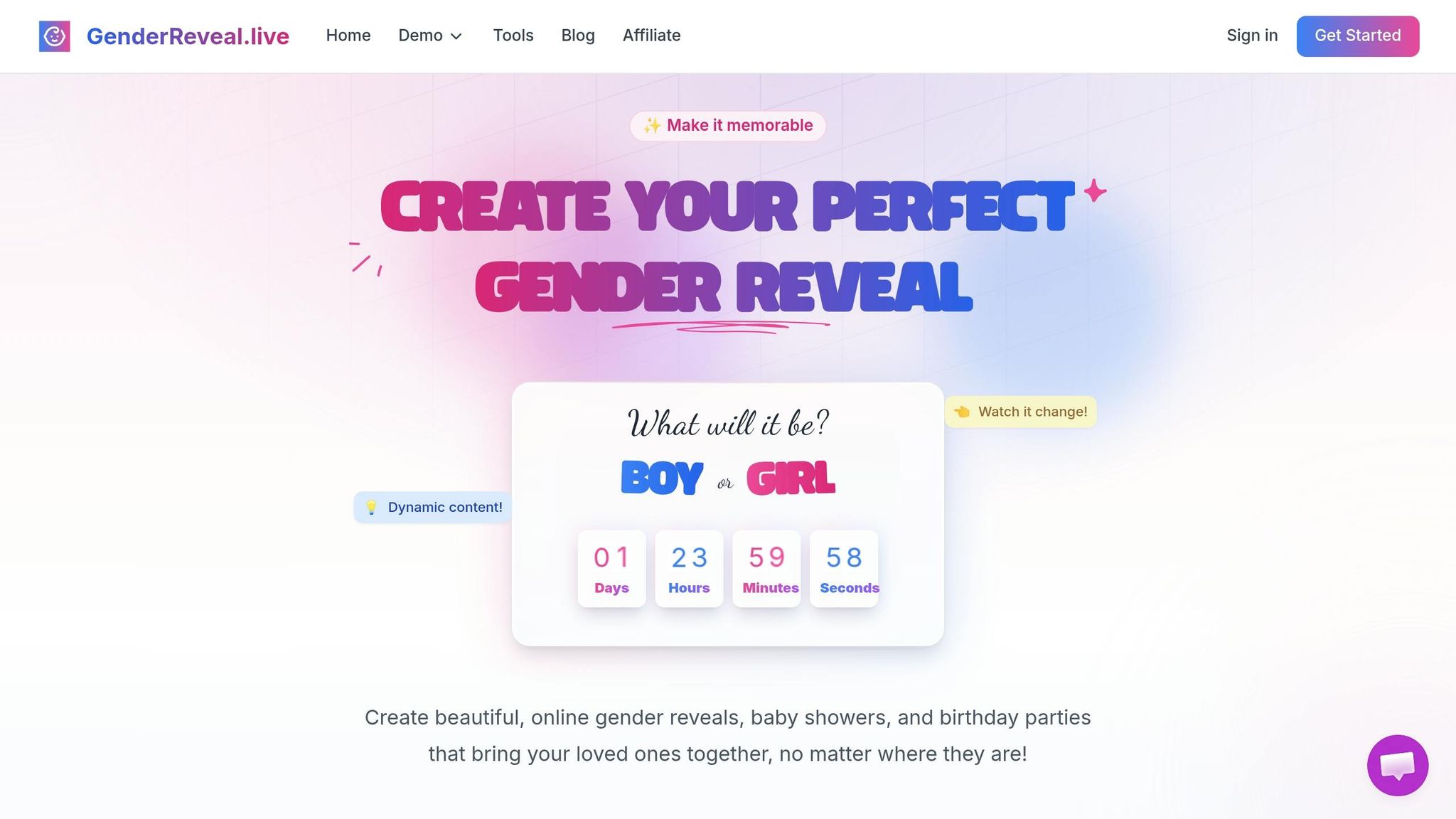
GenderReveal.live brings all the essentials together in one easy-to-use app. Its Baby Wishes feature allows guests to leave heartfelt messages, advice, and blessings, creating a digital keepsake you can cherish forever.
The live voting feature adds excitement by letting guests predict the baby's gender as soon as they join. It’s a fun way to spark engagement and a little friendly competition. For those who want to keep the reveal a secret, Trustee Mode allows a trusted person to securely input the gender, ensuring the surprise stays intact until the big moment.
The platform also simplifies RSVP management. It verifies guest emails, tracks attendance in real time across time zones, and eliminates the hassle of manual headcounts. Guests can join easily via a link - no downloads or accounts required - on any device, whether it’s a phone, tablet, or computer.
With a 4.9/5 rating from over 1,000 events, GenderReveal.live has earned glowing reviews from parents. Sarah and Mike from New York shared:
"The reveal was absolutely perfect! Our family and friends loved the interactive experience, even those who couldn't be there in person."
Setting Up Your Event on GenderReveal.live
Creating your event is quick and straightforward. Start by visiting the event setup portal, where you’ll enter basic details like your names, due date, and the time of the reveal. Weekend evenings (6:00–9:00 PM) are ideal for accommodating guests across different time zones, and the platform automatically adjusts the event time for each guest.
You can also craft a personalized welcome message to greet your guests when they arrive.
Once the event is set up, you’ll receive two links: one secret link for your trusted person to input the gender (if you’re keeping it a surprise) and a guest link to share with attendees. Be sure to store these links securely so they’re ready for your invitations.
With your event details finalized and links in hand, you’ll be all set to move on to customizing the design of your virtual guestbook in the next step.
Step 2: Customize Your Virtual Guestbook Design
After setting up your event, it’s time to make your virtual guestbook truly yours. A thoughtfully designed guestbook sets the tone, creating a warm and inviting space where guests are eager to share their messages.
Pick a Theme and Add Personal Touches
GenderReveal.live offers nine themed templates to suit a variety of styles:
- Celestial
- Boho
- Floral
- Modern
- Rustic
- Nautical
- Pastel
- Classic
- Minimalist
Whether you’re going for the relaxed charm of the Boho theme or the enchanting vibe of Celestial, the right design ties your event together beautifully. Plus, you can make the guestbook even more personal by adding a baby registry link, ensuring guests can easily access it. Including personal touches like ultrasound photos or a favorite picture of you and your partner adds an extra layer of connection.
Once your theme is set, it’s time to enhance the experience with interactive features.
Turn On Interactive Features
Interactive elements bring your guestbook to life by encouraging participation. For example, you can activate the live prediction poll, letting guests vote on whether they think it’s a boy or a girl. It’s a fun way to spark conversation and friendly rivalry. Emma and James from London shared their experience:
"The predictions feature made it so much fun for everyone involved!"
Adding a countdown timer keeps everyone on the edge of their seats, ensuring the big reveal feels exciting no matter where your guests are located. Finally, the Baby Wishes section allows loved ones to leave heartfelt notes, advice, or blessings. These messages become a lasting keepsake you’ll treasure long after the celebration ends.
Step 3: Set Up RSVP Management and Guest Features
With your guestbook design ready, it’s time to organize your guest list and ensure everyone knows when and how to join. GenderReveal.live simplifies this process with built-in RSVP tools, so you can focus on enjoying the moment rather than juggling spreadsheets or sending endless follow-ups.
Send Invitations and Automated Reminders
After setting up your event, you’ll get a shareable link that works on any device - no downloads required. Share this link via email, text, or social media about 4–6 weeks before the big reveal. Be sure to include the time zone (e.g., 3:00 PM EST) in your invitation to avoid any confusion, especially if your guests are spread across the country.
The platform’s email verification system ensures that only genuine guests RSVP, keeping your event secure and free from spam. Set an RSVP deadline about 1–2 weeks before the event to give yourself time for follow-ups. For higher engagement, send a quick text reminder a few days before the event - perfect for catching anyone who might’ve missed the initial email.
Track Attendance in Real-Time
Keep tabs on guest arrivals as they happen. GenderReveal.live offers live headcounts and one-click guest check-ins, so you’ll know exactly when someone joins. There’s no need to scramble to track attendees across various devices or platforms.
This real-time tracking feature also allows you to personally greet each guest by name as they arrive, adding a thoughtful touch that makes everyone feel welcome. You’ll know when most of your guests are present, letting you confidently kick off the countdown without leaving anyone out. Plus, the system organizes attendee information - names, contact details, and notes - into one neat list for easy reference.
With RSVP management and attendance tracking taken care of, you’re all set to move on to sharing your event and collecting live messages in the next step.
Step 4: Share, Host, and Collect Messages During the Event
Your RSVPs are in, and the guest list is all set. Now comes the fun part - bringing everyone together to share heartfelt messages and be part of the celebration. Here’s how to make it seamless and memorable.
Share Your Event with Guests
Start by texting your event link directly to your guests for easy access. Make sure to include the time zone (e.g., "3:00 PM EST") so there’s no confusion for attendees joining from different locations.
If you’re sending out physical invitations, consider adding a QR code. Guests can simply scan it with their smartphone camera to instantly access your virtual guestbook. Send the event link at least 24 hours before the event, and follow up with a friendly “starting soon” reminder text about 10 minutes before the event begins.
Display Messages and Interactions Live
Let your guests share their "Baby Wishes" in real time. To keep things running smoothly, assign a co-host to manage the chat. This person can highlight special messages, handle any tech hiccups, and ensure no heartfelt note goes unnoticed, leaving you free to enjoy the moment.
If you’re hosting a hybrid event, sync your virtual guestbook to a TV or large screen so everyone in the room can see the live messages. This creates a shared, emotional experience that connects both in-person and remote guests. For added fun, include live prediction polls and other online gender reveal ideas where guests can vote for "Team Boy" or "Team Girl." It’s a playful way to build excitement right up until the big reveal. As Sarah & Mike from New York put it:
"Our family and friends loved the interactive experience, even those who couldn't be there in person."
Step 5: Save and Preserve the Memories After the Reveal
The confetti has settled, the big moment is over, and now it’s time to hold on to all those special memories so you can revisit them for years to come.
Download and Share Your Digital Keepsake
Right after the reveal, head to your event dashboard on GenderReveal.live. There, you’ll find a downloadable digital keepsake that gathers everything in one place - guest predictions, heartfelt messages, poll results, and all the "Baby Wishes" your loved ones shared. It’s a complete archive of the day’s highlights that you can save directly to your phone or computer.
If you streamed a live video, don’t forget to record it using your platform’s built-in tools. Capturing those real-time reactions is priceless. Once your keepsake is downloaded, share it with your guests via email or text. It’s a great way to thank them for being part of the celebration and let them relive the moment. This keepsake isn’t just a file - it’s a piece of your family’s story you’ll cherish forever.
Access Memories Anytime
After saving your digital keepsake, you’ll have easy access to your memories whenever you want. From your private photo gallery of reactions to festive snapshots and celebration ideas, you can revisit these moments on your smartphone, tablet, or desktop.
For extra peace of mind, upload your keepsake and photos to a cloud storage service like Google Drive or Dropbox. That way, your memories are safe and always within reach. GenderReveal.live makes it simple to turn your virtual celebration into something you’ll treasure for a lifetime.
Conclusion
Planning a gender reveal that’s both interactive and memorable doesn’t have to be complicated. By selecting the right platform, tailoring the design to match your style, and managing guest participation seamlessly, you can create an event that truly stands out with innovative reveal ideas. A virtual guestbook adds a personal touch, letting you collect heartfelt messages and predictions that you’ll treasure for years. With tools like GenderReveal.live, everything comes together effortlessly - from countdown timers and interactive features to automated reminders and downloadable keepsakes.
The true beauty of these steps isn’t just in the logistics - it’s in bringing loved ones together, no matter how far apart they are. With over 1,000 successful reveals and a 4.9/5 rating, this platform has shown how meaningful celebrations can bridge any distance. Your virtual guestbook becomes a digital time capsule, filled with baby wishes, predictions, and genuine reactions that capture the joy of the moment.
Even after the celebration ends, your keepsake will remain accessible, whether on your phone or securely stored in the cloud. It’s a lasting reminder of the excitement and love that surrounded your big announcement. By following these simple steps, you’re set to create a gender reveal that’s as special as the memories it preserves.
FAQs
How do I keep the gender a surprise online?
To keep the gender a surprise during an online reveal, try using some fun and interactive ideas to build suspense. You could set up a virtual balloon pop or a mystery box that reveals the big news. Another option is to keep your camera covered until the exact moment of the announcement. For a creative touch, use themed designs that unveil "It's a Boy" or "It's a Girl" right on cue. These approaches add excitement and make the moment unforgettable for everyone watching.
What should guests write in the guestbook?
Encourage guests to contribute heartfelt messages, warm congratulations, or personal notes. These could include advice for the parents, hopes for the baby’s future, or even fun gender predictions. Guests might also share favorite memories, words of encouragement, or anything meaningful they’d like to express. These thoughtful messages turn the virtual guestbook into a treasured keepsake, capturing the love and joy of this special celebration.
How do I save and share the guestbook after the reveal?
After the gender reveal, take advantage of the platform's tools to preserve and share your guestbook. For example, platforms like GenderReveal.live let you download messages, photos, and videos, creating a lasting memento.
To share the guestbook, just send the link to your friends and family. They can view it or even add their own contributions after the event, keeping everyone connected to those special moments.