

How Photo Sharing Apps Support Virtual Gender Reveals
Use two separate links: one for the live reveal and one for a private photo album. GenderReveal.live handles event activities, while the album gives guests a place to share photos, short videos, and messages - even if they miss the live announcement.
- Before: Choose an album that works on iPhone and Android, test guest access, and set viewing and upload permissions.
- During: Have one helper handle upload questions. Ask guests to wait until the announcement ends before sharing reveal photos.
- After: Allow 1–2 weeks for uploads, review posts, and back up photos, videos, and messages. Share the finished album with clear viewing limits and permission from those shown.
Keep the upload cutoff separate from the viewing deadline, and remind guests not to forward private links or repost photos without permission.
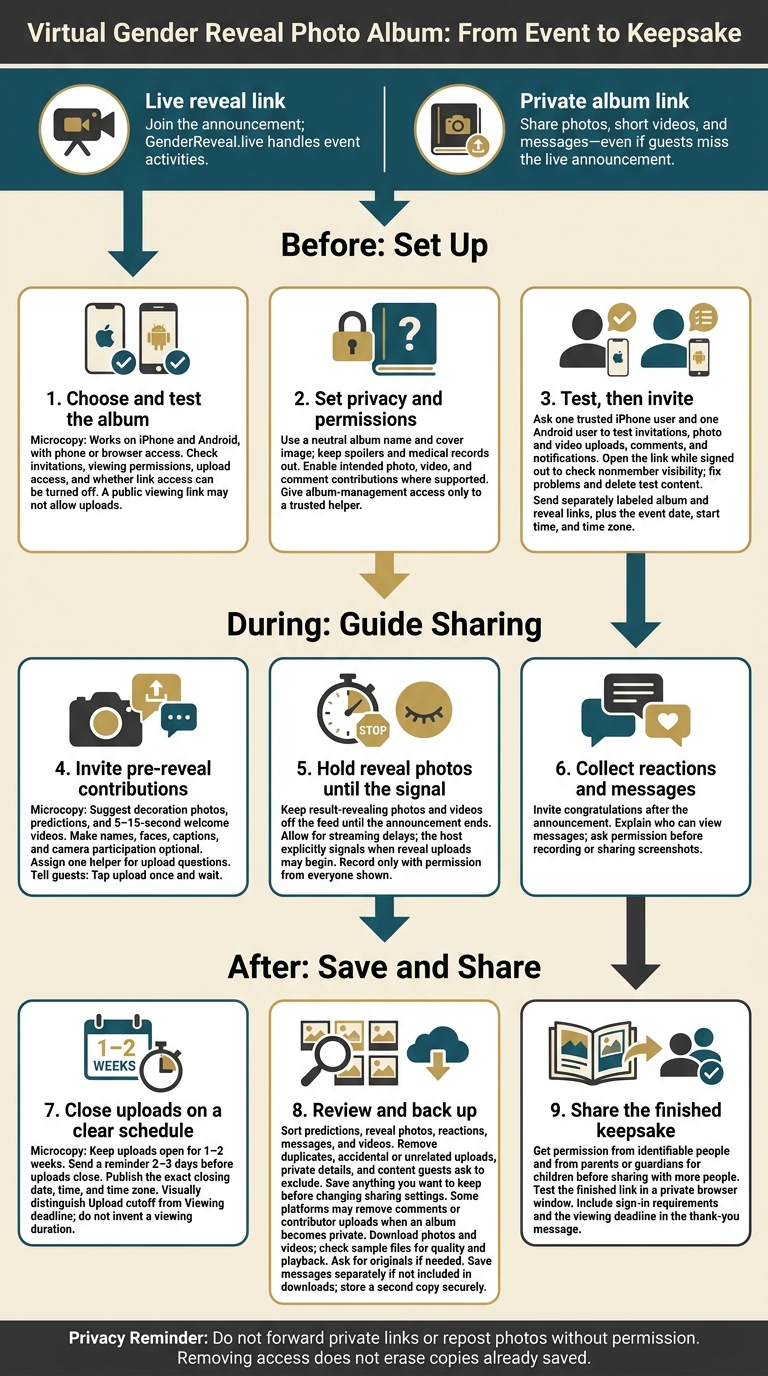
Virtual Gender Reveal Photo Sharing Checklist
Before the Reveal: Set Up the Shared Album
Choose an Album Guests Can Use
Choose an album that works on your guests’ devices. If your family uses both iPhone and Android, make sure the app supports both. Uploading should be easy, and privacy settings should help keep the surprise under wraps.
| Setup priority | What to check |
|---|---|
| Device support | Guests can view and contribute from their phones or browsers. |
| Invitation method | Invite specific people or share an album link. |
| Upload access | Let guests add photos and videos; a public link may allow viewing but not uploads. |
| Privacy | Check who can view the album and whether you can turn off link access. |
Test the invitation from a guest account before sharing it with everyone. Once you’ve chosen an app that works for your guests, explore creative online gender reveal ideas and set permissions before sending invitations.
Set Upload Permissions and Keep the Surprise Private
Decide who can add content and what guests can see.
Name the album “Smith Family Baby Reveal,” use a neutral cover image, and invite guests individually. Turn on photo and video contributions, comments, and activity notifications. Give album-management access only to a trusted helper. Shared links can be forwarded, so keep medical records and any images that could spoil the reveal out of the album.
Ask one trusted iPhone user and one Android user to test invitations, photo and video uploads, comments, and notifications. Open the link while signed out to check what nonmembers can see. Fix any access problems, then delete the test files and comments.
Send Separate Album and Reveal Links
Send one clear invitation with separate, labeled links: one for album contributions and another for joining the live announcement. Replace the placeholders below with your links:
Smith Family Baby Reveal
Join us online on Saturday, November 21, 2026, at 2:00 PM ET.
Guest photo album: [album link]
Live reveal: [reveal link]
Please upload a selfie, short video, or message before or during the reveal.
Please do not forward either private link.