
Ultimate Guide to Live Polling for Virtual Parties
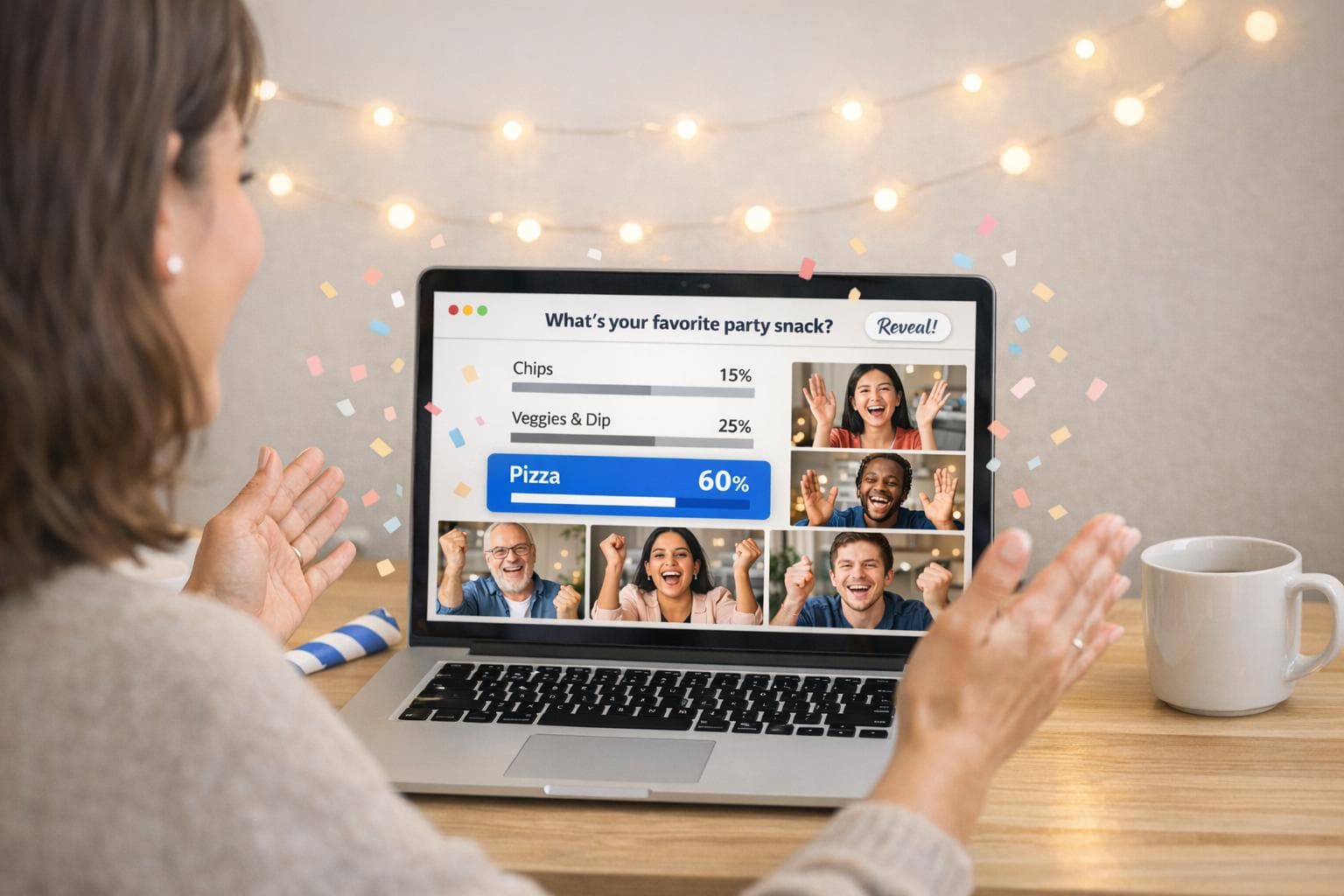
Live polling transforms virtual parties into interactive experiences by turning passive attendees into active participants. Whether it's a gender reveal, baby shower, or milestone celebration, live polls let guests vote, predict, and share reactions in real time. Tools like GenderReveal.live make this process simple with features like Trustee Mode vs. traditional reveals for surprise celebrations, RSVP management, and themed templates.
Key Takeaways:
- Why Use Live Polling? Keeps guests engaged, encourages interaction, and connects distant participants.
- Top Features to Look For: Browser-based access, real-time updates, fun animations, and RSVP tools.
- Best Poll Types: Multiple-choice, word clouds, trivia, and open-ended questions tailored to your event theme.
- Pro Tips: Start polls early, keep questions short, and test tools beforehand to ensure smooth participation.
Live polling isn't just about gathering votes - it's about creating shared moments that everyone remembers. Ready to make your virtual party unforgettable? Start with the right tool and craft polls that bring your guests closer, no matter the distance.
The Best Live Polling Tools
sbb-itb-bc05356
Choosing the Right Live Polling Tool
Building on the idea that live polling can elevate engagement, selecting the right tool is key to ensuring a smooth and enjoyable experience for your guests.
Must-Have Features for Virtual Party Polling
Not all polling tools are designed with virtual parties in mind. The best tools do more than just collect votes - they enhance the overall experience for your guests.
First and foremost, guest accessibility is critical. A tool should work seamlessly through a simple URL on any device, without requiring app downloads. Anything that adds extra steps risks losing your guests' interest before they even participate.
Beyond accessibility, here are the features that matter most:
| Feature Category | What to Look For |
|---|---|
| Guest Access | No app required, mobile-friendly, easy link sharing |
| Engagement | Real-time voting updates, fun reveal animations, synchronized countdowns |
| Management | RSVP tracking, email verification, guest message collection |
| Customization | Themed templates (e.g., Boho, Rustic, Floral, Nautical, Minimalist) |
| Specialty Modes | Trustee Mode for surprise reveals, support for multiple babies |
A built-in RSVP management system that includes email verification, automated guest lists, and real-time headcounts is especially useful. It keeps everything in one place, reducing the need for additional tools.
Among platforms that meet these criteria, GenderReveal.live stands out as a top choice for its wide range of features tailored specifically to virtual celebrations.
Spotlight on GenderReveal.live
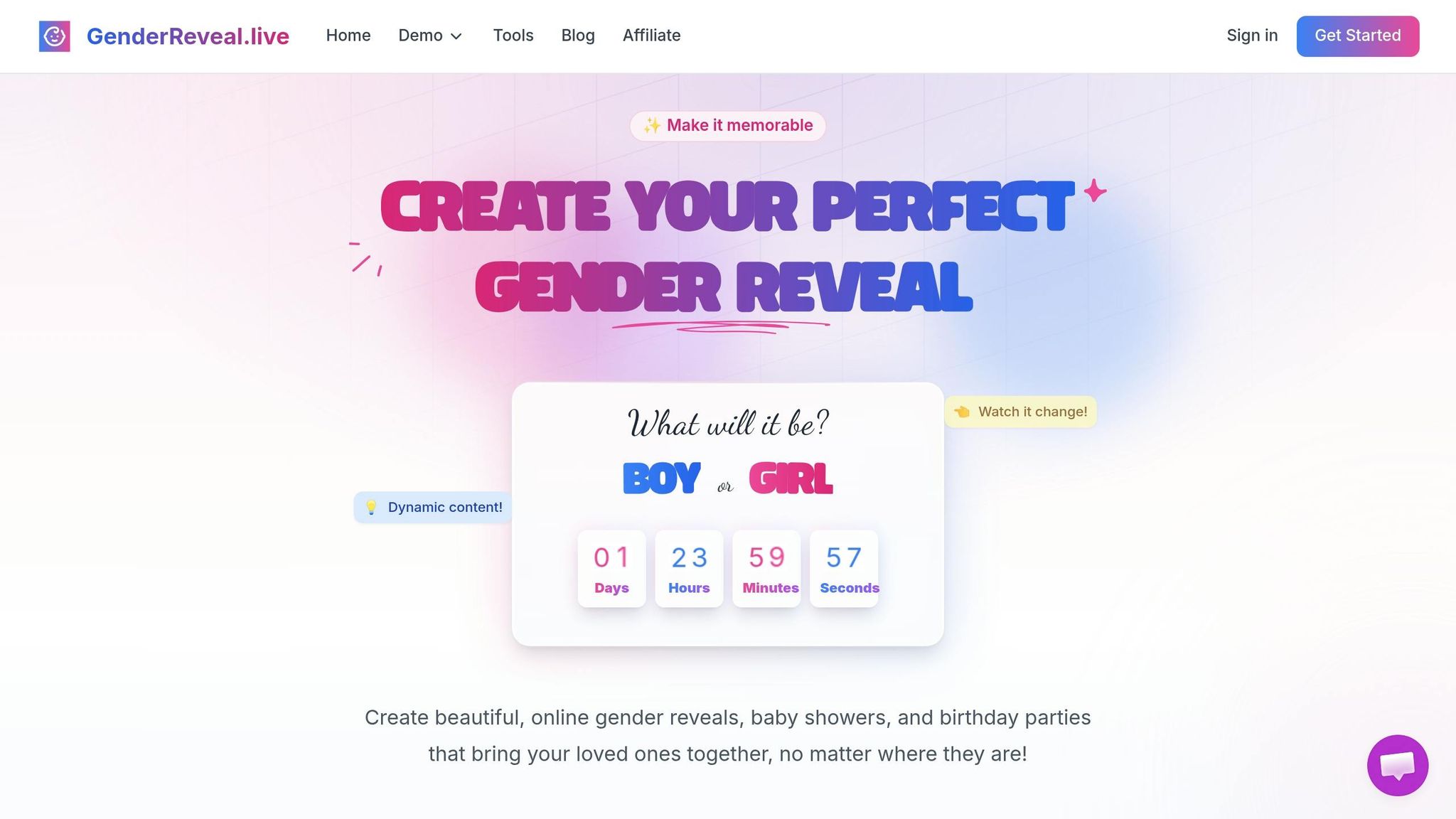
GenderReveal.live is designed specifically for virtual events, offering features like live voting, synchronized countdowns, and interactive prediction polls - all accessible through a single shareable link.
One standout feature is Trustee Mode. This allows a trusted person, like your doctor or a close friend, to input the reveal results ahead of time. That way, even the parents-to-be can share in the surprise alongside their guests when the poll results are revealed.
The platform also includes native RSVP management with email verification to ensure your guest list is accurate. Additional features like gift registry integration, themed templates, and a Baby Wishes message collection tool make the experience even more personalized. The synchronized countdown keeps everyone on the same page, building excitement as the big moment approaches. With a 4.9/5 rating from over 1,000 successful reveals, users frequently praise how it helps distant family members feel connected.
"Such a beautiful way to share our special moment. The predictions feature made it so much fun for everyone involved!" - Emma & James, London, UK
How to Compare Polling Tools
Once you've identified the must-have features, it's time to evaluate tools based on ease of use and how well they align with your event's needs. Make sure even the least tech-savvy guest can join in quickly - ideally in under a minute.
Think about the specifics of your event. While general-purpose polling tools might handle basic tasks like Q&A, they likely won't offer baby-themed templates, Trustee Mode, or built-in gift registries. Specialized platforms provide a cohesive experience that feels tailored to milestone celebrations, and that attention to detail can make all the difference.
Before the event, test the entire guest flow on your own device. This ensures that features like live results and countdowns work as expected, saving you from any last-minute hiccups on the big day.
Planning Good Poll Questions
Live Polling Features & Poll Types for Virtual Parties
Once you’ve got the right tool in place, the next step is crafting poll questions that your guests will actually enjoy answering. The best questions feel spontaneous and fit seamlessly into the event’s vibe.
Types of Poll Questions to Use
Different formats work for different moments, and mixing them up keeps the energy lively throughout your event.
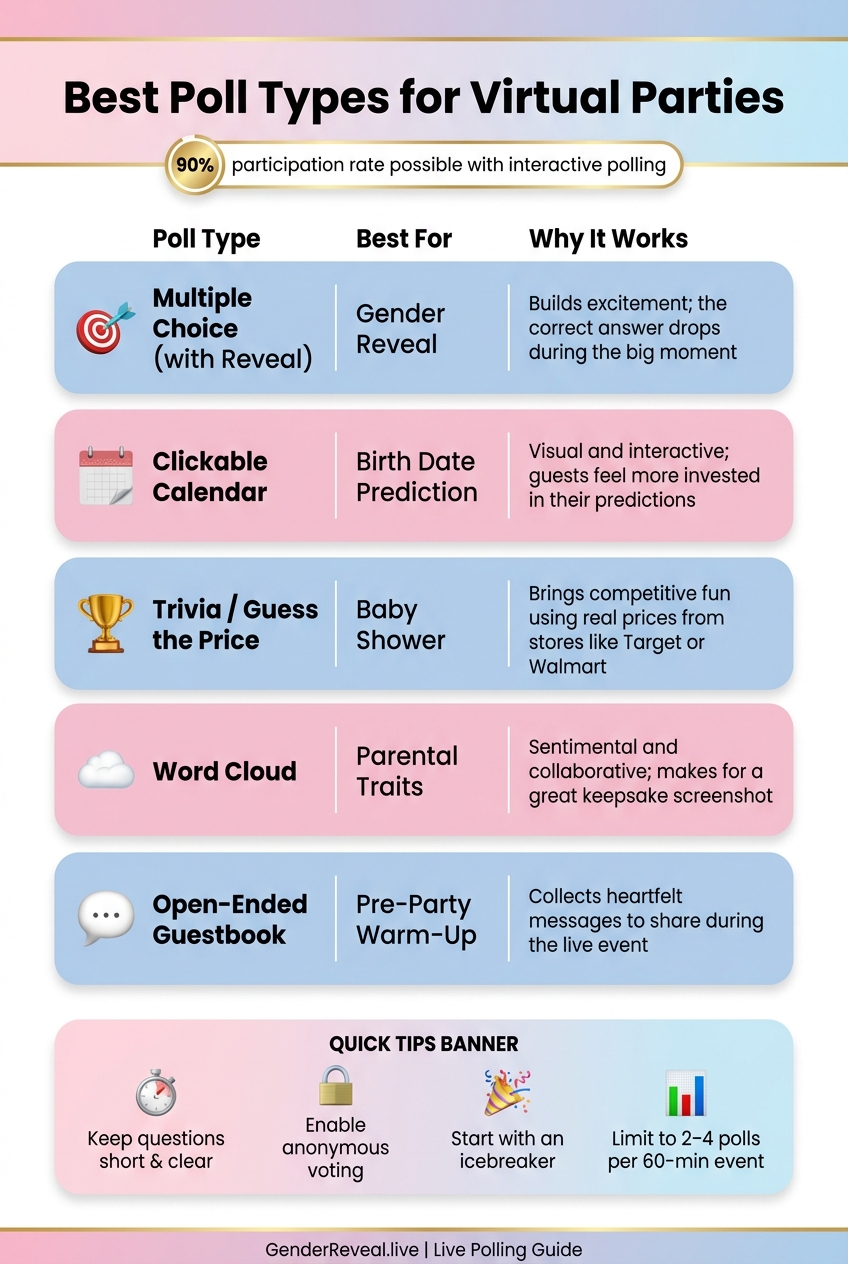
- Multiple-choice polls are a classic choice for gender reveals. Guests cast their guesses, and the big reveal moment delivers the ultimate payoff.
- Word clouds are perfect for heartfelt moments, like asking guests to share one word describing a trait they hope the baby inherits from mom or dad.
- For something lighthearted, try a "Guess the Price" trivia game featuring real prices from stores like Target or Walmart for baby gear like strollers or diaper bags. It’s a playful way to spark some friendly competition.
Open-ended polls often get overlooked, but they can be incredibly meaningful. For example, you could launch one before the party starts, inviting guests to share advice or a favorite memory. This creates a virtual guestbook you can read aloud during the event, making everyone feel included - even those who join late.
Tips for Writing Clear and Fun Questions
To keep participation high, focus on writing short, straightforward questions. Stick to one clear idea per question and use simple, easy-to-understand language.
If the poll allows it, enable anonymous voting. This encourages honest responses, especially for opinion-based or sentimental questions. Research shows interactive polling can achieve participation rates as high as 90% during online events. Removing the fear of judgment plays a big role in this success.
"The poll answers help us direct how we teach and what we say. That's the power of Slido: the conversations are around what the audience wants to hear." - Bob Wilkie, Founder & Mental Health Coach at I Got Mind
Start with a fun, low-pressure icebreaker to get everyone comfortable. For example, ask, "Which parent does the baby already have wrapped around their finger?" This helps guests ease into the voting process before diving into the event’s bigger moments.
Matching Polls to Your Party Theme
For live polling to truly shine, your questions should complement the event’s theme. Tailor each poll to fit the atmosphere you’re creating. For a gender reveal, prediction polls with a dramatic reveal mechanic are a natural fit. At a baby shower, you could use a birth-date calendar poll, where guests click on a date from the due-date month. This adds an interactive, visual element that feels fresh compared to standard multiple-choice questions.
| Theme | Best Poll Type | Why It Works |
|---|---|---|
| Gender Reveal | Multiple Choice (with reveal) | Builds excitement; the "correct" answer drops during the big moment |
| Birth Date Prediction | Clickable Image (calendar) | Visual and interactive; guests feel more invested in their predictions |
| Baby Shower | Trivia / "Guess the Price" | Brings competitive fun using real prices from stores like Target or Walmart |
| Parental Traits | Word Cloud | Sentimental and collaborative; makes for a great keepsake screenshot |
| Pre-Party Warm-Up | Open-Ended Guestbook | Collects heartfelt messages to share during the live event |
Platforms like GenderReveal.live simplify this process by offering themed templates - whether you’re going for Boho, Nautical, or Minimalist vibes - so your polls seamlessly match your event’s style.
Running Polls During the Event
When you combine the right tools and thoughtful questions, live polling can inject energy and excitement into virtual celebrations.
When to Launch Your Polls
Start your first poll within the opening minutes of the event - before attendees settle into passive "observer mode." Share the poll link in the chat as soon as the session kicks off, and pin it so latecomers can access it without needing reminders. This simple step eliminates the most common barrier to participation.
Kick things off with a fun icebreaker poll, like a lighthearted question to warm up the group. For example, a prediction poll ("Team Boy vs. Team Girl") works perfectly just before the big reveal. To keep the energy high, consider adding a trivia game like "Guess the Price" between activities. For guests who arrive late or watch the replay, leaving the poll link active allows them to join in and view the results, ensuring everyone feels included.
Once your polls are live, the next step is to guide the interaction with effective moderation.
Tips for Moderating Live Polls
Your role as a moderator is key to creating an engaging experience. As results come in, comment on them in real time to spark conversation. The PollQR team advises:
"React to the results out loud. 'Interesting - 60% of you picked B. Who wants to make the case for A?' This is where the engagement compounds."
This approach transforms voting into a shared experience. If you're hosting a gender reveal and want to be surprised along with your guests, GenderReveal.live's Trustee Mode can help. A trusted person - like your doctor, a close friend, or a family member - can set up the results beforehand. This way, you and your guests discover the surprise together, making the moment feel genuine and shared.
After engaging your audience through live commentary, it’s just as important to present the results in a way that keeps the excitement alive.
Displaying Results in Real Time
The way you display poll results can enhance the overall experience. Use screen sharing to show the presenter view with a clean, focused layout. Hide unnecessary elements, like response instructions or activity titles, to maintain a polished look.
For big moments, such as gender reveals, consider using themed animations like Balloon Pop or Spin the Wheel. These effects, paired with sound, can turn data into a memorable highlight. For example, GenderReveal.live’s voting display dynamically updates "Team Boy" vs. "Team Girl" percentages in real time, building suspense as votes roll in. Many have noted how these real-time reveals help distant guests feel more connected to the celebration.
Here’s a quick guide to the best display formats for different moments:
| Display Format | Best For | Why It Works |
|---|---|---|
| Themed Animations | Final gender or big-news reveals | Adds drama and creates an emotional connection |
| Side-by-Side Stats | Binary choices (e.g., Boy vs. Girl) | Builds suspense as percentages shift in real time |
| Word Cloud | Open-ended wishes or traits | Grows visually and serves as a keepsake |
| Live Leaderboard | Trivia or games like "Guess the Price" | Encourages friendly competition |
| Clickable Calendar | Birth date predictions | Interactive and personal, boosting guest involvement |
Best Practices for Virtual Party Polling
Do's and Don'ts of Live Polling
Inject some energy into your virtual party by following a few simple habits. The key? Keep your questions short and straightforward. As Robert Strobl from Digital Samba wisely notes:
"Clarity beats cleverness every time. Your audience is there to learn, engage, and contribute - not to decipher cryptic or overly technical questions."
At the same time, resist the urge to overload your guests with too many polls. For a 60-minute event, 2 to 4 polls is the perfect range. It’s enough to keep things lively without making people feel like they’re stuck in a survey. Each poll should have a clear purpose - whether that’s to entertain, spark laughter, or help the group make a fun decision together.
| Do | Don't |
|---|---|
| Time polls to align with natural energy peaks | Launch polls back-to-back without breaks |
| React to results as they come in - out loud! | Leave results on-screen without commentary |
| Use browser-based links or QR codes | Make guests download an app to participate |
| Have a backup activity ready in case engagement drops | Stick to a single poll type for the entire event |
Lastly, make sure your polls are easy for everyone to access.
Making It Easy for Guests
Once you’ve nailed your polling strategy, shift your focus to accessibility. Browser-based tools are your go-to here - no downloads, no account setups, just a simple link or QR code that works seamlessly on any device, whether it’s a phone, tablet, or laptop. Post the link in the Zoom or Teams chat right as the event begins so even latecomers can jump in without missing out.
For less tech-savvy guests, simplicity is everything. If you’re hosting something like an online gender reveal, GenderReveal.live’s Trustee Mode is a game-changer. It allows a trusted friend to handle the setup, so the hosts can enjoy the surprise along with everyone else - no accidental spoilers.
"A QR code poll works the same whether your audience is in a room with you, on Zoom, on Teams, or watching a replay - and it takes about 30 seconds to set up." - PollQR
Testing and Preparing Before the Event
Preparation is your best friend when it comes to virtual polls. Before the event, take a few minutes to test everything. Run the poll on another device to experience it as a guest would. Check that the formatting is clear, buttons are responsive, and results display properly when shared on-screen.
If you’re using Trustee Mode for a surprise reveal, make sure to brief your trustee at least one day in advance. They should know exactly how and when to activate the results. Another smart move? Pre-load the poll link into the chat before the event officially starts. That way, it’s already waiting in the chat history when guests arrive. A little prep work - less than 10 minutes - can save you from scrambling at the height of the party’s excitement.
Conclusion: Making Virtual Parties Memorable with Live Polling
Key Takeaways
Live polling transforms a passive event into something guests actively participate in. It creates energy, encourages friendly competition, and fosters shared moments that people remember long after the event ends.
To make the most of it, focus on a few essentials: choose a tool that works seamlessly across devices without requiring an app download, craft short and engaging questions, and time your polls to flow naturally with the event. Add a synchronized countdown timer and real-time vote updates, and you’ll build an atmosphere of genuine anticipation.
Even after the event, the polling data - whether it’s fun predictions or heartfelt messages - becomes a unique digital keepsake for everyone involved.
With these ideas, you’re well on your way to elevating your next virtual celebration.
Next Steps for Your Event
Ready to put these tips into action? Start small. Pick a date, write a quick welcome message, and choose a theme that fits your celebration. Then, create a prediction poll, grab your shareable link, and send it to your guests via text, email, or social media.
If you’re planning a gender reveal, consider using platforms like GenderReveal.live, which seamlessly integrates interactive polling with RSVP management. With a 4.9/5 rating from over 1,000 reveals, it’s a trusted option for making virtual gatherings feel truly personal.
The most memorable virtual parties leave guests feeling connected - not like they just watched something happen, but like they were a part of it.
FAQs
How do I share the poll link so everyone can join fast?
To get your poll link out there fast, use your polling platform to generate a direct, shareable URL. You can then send it through chat or email during the event. If you’re using a platform with built-in polling features, like GenderReveal.live, you can create and share the link directly within the platform itself. This way, guests can join right away through the event chat or by scanning a shared screen, making the process quick and hassle-free.
What should I do if guests join late or miss a poll?
If some guests arrive late or miss a poll, you can keep them in the loop by sharing the results or a quick summary afterward. This way, everyone feels included, even if they weren't there for the moment. Tools like GenderReveal.live are great for providing real-time updates and interactive features, making it easier to engage those who join late. You could also consider running a quick follow-up poll or inviting them to take part in the next activity to keep the energy high and ensure everyone feels connected to the celebration.
How can I keep the reveal a surprise for the hosts?
To keep the reveal a surprise for the hosts, consider using interactive features that keep them in the dark until the big moment. Platforms like GenderReveal.live offer tools like trustee mode or private reveals, ensuring only selected participants know the outcome beforehand. You can also plan engaging actions - like popping a balloon or spinning a wheel - to unveil the surprise, making it a fun and unforgettable experience for everyone.