
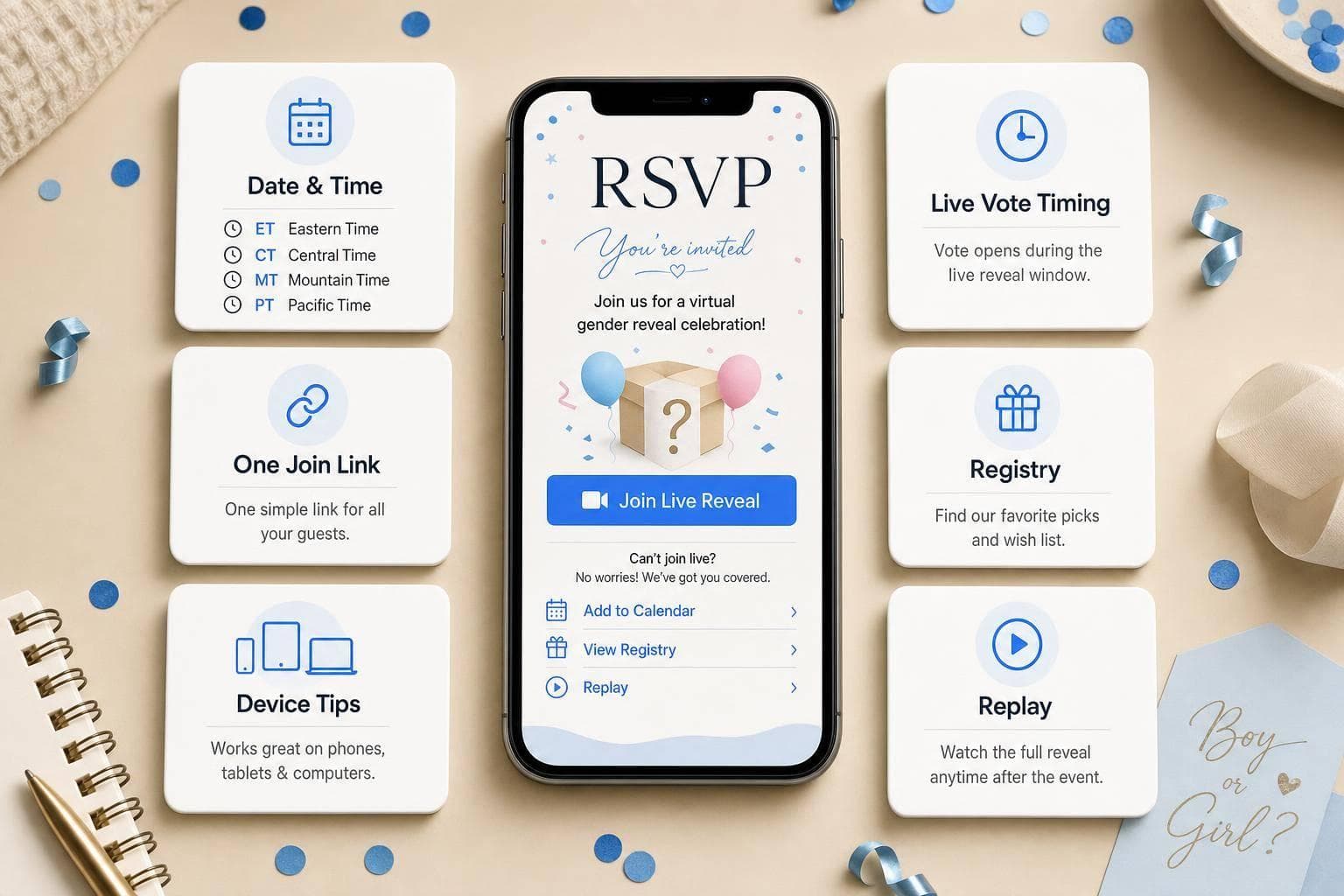
Gender Reveal RSVP Website: Message Setup Tips
If guests can’t tell when to join, where to click, and when to vote in a few seconds, your reveal can start with confusion instead of fun.
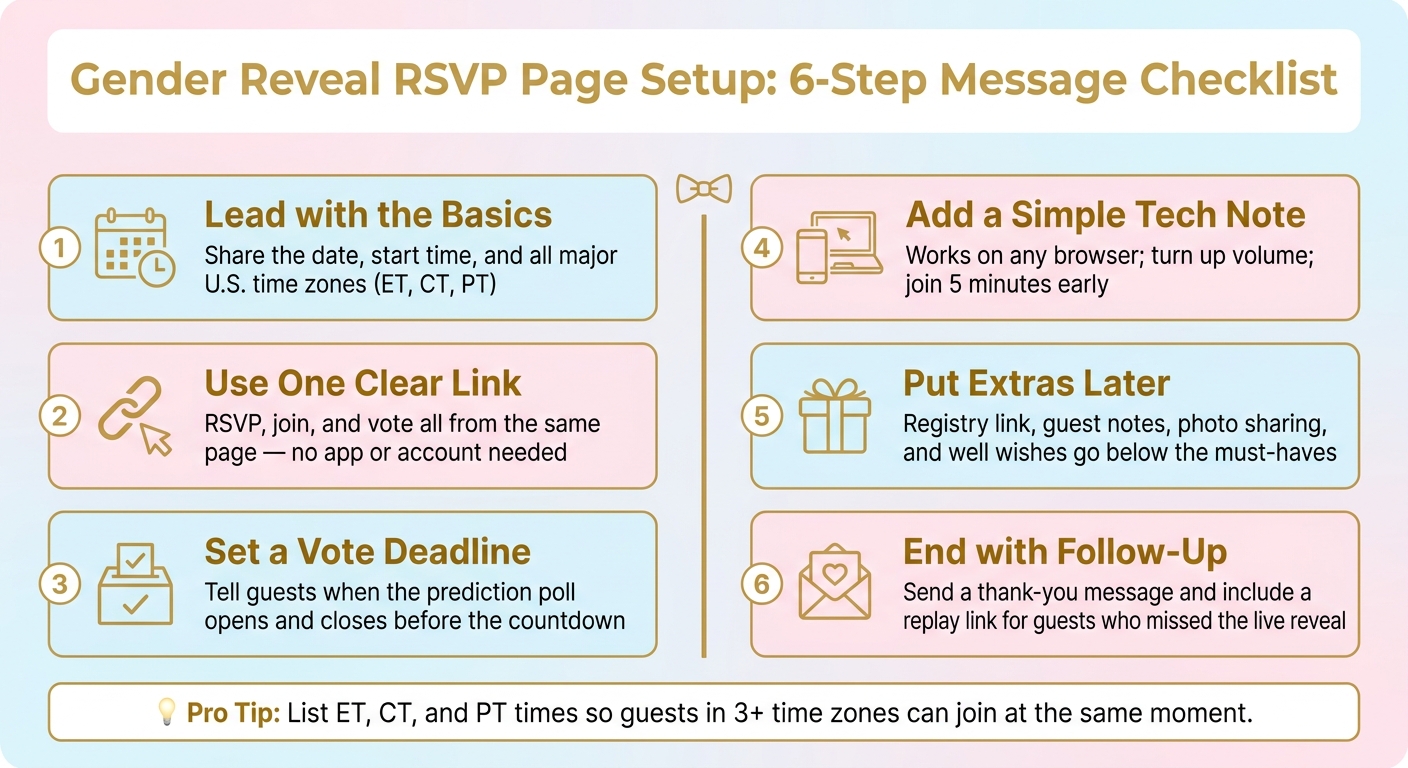
I’d keep the message setup simple and front-load the big details. For a virtual reveal, the RSVP page should do 6 jobs right away: share the date and time with U.S. time zones, show one link for RSVP and entry, explain the vote timing, tell guests to join a few minutes early, point to the gift or registry info, and close with a thank-you or replay note after the event. A short setup like this can cut repeat guest questions and help everyone join at the same moment.
Here’s the short version:
- Lead with the basics: date, start time, and time zone
- Use one clear link: RSVP, join, and vote from the same place
- Set a vote deadline: tell guests when polls open and close
- Add a simple tech note: browser access, volume on, join early
- Put extras later: registry, guest notes, photos, replay
- End with follow-up: thank-you message and replay plan
What matters most? I’d make the first screen answer these questions:
- What is this event?
- When does it start?
- How do I join?
- What should I do before the reveal?
A few timing details make a big difference. In the U.S., guests may join from 3 or more time zones, so listing ET, CT, and PT helps cut mistakes. And if you ask people to join 5 minutes early, they have time to load the page and vote before the virtual gender reveal countdown ends.
This article walks through the message blocks I’d use so guests know what to do from RSVP to replay.
Gender Reveal RSVP Page Setup: 6-Step Message Checklist
Checklist 1: The Core Message Blocks Guests Need First
Think of your RSVP page as a simple overview. Guests should know what’s happening, when it starts, and how to join right away. Start with a warm welcome, then get into the details that matter most.
Welcome Note and Event Purpose
Your welcome note sets the tone before guests read anything else. Keep it warm and personal. Two or three sentences is enough.
We're so excited to share this moment with you! Join us for a live gender reveal where everyone finds out at the same moment.
It also helps to mention that this is a private page for invited guests. That way, people know they’re part of a shared moment made just for family and friends. After that, show the event details in one quick view.
Event Details in One Easy-to-Read Block
Once guests know what they’re joining, they need the logistics. Put everything in one neat block so the time zone is easy to spot:
- Date: [Month Day, Year]
- Time: 7:00 PM ET / 6:00 PM CT / 4:00 PM PT
- Tip: Join 5 minutes early so you can cast your prediction before the countdown starts
Showing all three major U.S. time zones makes it easier for guests to add the event to their calendars without second-guessing the time. Then give them one clear next step: open the link and RSVP.
Join Link and RSVP Instructions
Use one link for RSVP, prediction, and entry - no app or account needed. Keep the call to action direct: Click the link below to RSVP and join our live reveal. GenderReveal.live's built-in RSVP management updates your real-time head count automatically, so you won’t have to chase down responses. Once that part is clear, you can move into online gender reveal ideas for voting and viewing instructions.
sbb-itb-bc05356
Checklist 2: Participation Messages for Voting and Viewing
Once guests know how to join, they need a little direction on what to do after they arrive.
Prediction Poll and Voting Instructions
After guests have the link, tell them exactly what happens next. Ask them to vote before the reveal so the timing is clear. A short line like Cast your vote now - boy or girl? gives guests an easy first step as soon as they open the invite.
On GenderReveal.live, live voting updates in real time, so everyone can watch the vote count change as predictions come in. Be clear about the timing: vote before the countdown starts.
Device Tips and Viewing Notes
A short tech note can save a lot of last-minute confusion. Keep it simple and calm:
- Open the link in any mobile or desktop browser.
- Turn up the volume for music and reveal effects.
- Open the page a few minutes early to make sure everything loads before the countdown hits zero.
Once the page is open, the next message should set expectations for the live countdown.
Countdown and Reminder Wording
A synced countdown helps everyone hit zero at the same moment. GenderReveal.live's built-in countdown timer handles this automatically. Ask guests to join a few minutes early so they're set when the countdown reaches zero. Keep reminders short, warm, and focused on the link.
Checklist 3: Gift, Keepsake, and Follow-Up Messages
Once guests know how to join and vote, you can add a few optional messages to make the online gender reveal feel more personal. Put these blocks after the must-have details, and keep each one short and clearly labeled.
Registry Link and Gift Guidance
Add your registry link under a clearly marked Gifts tab. GenderReveal.live includes a built-in gift registry on the reveal page, so guests don't have to go looking for it.
Keep the wording light and low-pressure. Something like "Your presence is the only gift we need, but for those who've asked, we've linked our registry here" works well. It gives guests the info they want without sounding pushy.
After that, give guests a spot to leave a note.
Well Wishes and Photo-Sharing Prompts
Invite guests to leave a note, prediction, or parenting tip in a guest book area. GenderReveal.live's guest message area makes this simple and gives you a keepsake you can look back on after the baby arrives.
A short prompt is usually enough: "Leave a note for the parents-to-be - we'd love to save your words for the baby's memory book!" For photo sharing, add a line to your follow-up message with a direct link to a private photo gallery so guests can upload pictures without needing an app.
Post-Event Thank-You and Replay Plan
After the reveal ends, send one last message to wrap things up. Keep it brief: say thank you, include a replay link for anyone who missed the live moment, and add a link to view the results and messages again.
One short thank-you message can cover everything guests need after the reveal.
Conclusion: A Simple Message Setup Checklist That Keeps Guests in the Loop
Good message setup isn't just about clear wording. It's about making sure guests never have to stop and wonder what comes next.
Use this flow: start with a warm welcome that explains the event. Then share the date, time, and access link so everyone can join the synchronized countdown at the same second. After that, add voting instructions and a no-app, no-account note.
It also helps to place device tips near the top. That way, guests know the page opens smoothly on any phone, tablet, or desktop. For family members who aren't as comfortable with tech, that small detail can make a big difference.
Once the basics are covered, add your registry link and a space for well wishes. Then close with a post-event thank-you.
This setup makes it easier for every guest to join with confidence. With GenderReveal.live, built-in RSVP management, countdown timers, live voting, and message collection take care of the logistics, so you can focus on the moment.
Review your messages once, and you're ready to share the news.
FAQs
How early should guests RSVP?
Ask guests to RSVP as soon as you send the link, ideally 1–2 weeks before the reveal date. That gives you enough time to lock in seating and food.
GenderReveal.live’s built-in RSVP tools can track attendance, send automated reminders, and show a live headcount. So when people reply early, planning gets a lot easier and you can skip the spreadsheets.
What if guests miss the live reveal?
No need to stress. GenderReveal.live helps you save the best parts of the day by recording reactions, messages, and guests’ predictions during the event.
After the reveal, you can download highlight clips and share those memories with friends and family. That way, even people who missed the live moment can still be part of your big announcement. And because the celebration stays private, you stay in control of what gets shared.
What should go at the top of the RSVP page?
Start with a clear, friendly note that tells guests exactly what they’re RSVPing for and what to do next. For example, let them know they’re confirming their spot and that they should cast a vote or make a prediction before the reveal.
Right below that, include the event date, start time, and join access link. That way, guests see the key details right away, know what to expect, and are less likely to miss the RSVP.