

Best Free Live Stream Options for Baby Reveals
If you want the short answer: private reveal pages and small video calls work best for most baby reveals, while public social streams work better for replay or public sharing.
I’d narrow it down like this:
- Best for a private, same-time reveal: GenderReveal.live
- Best for a small two-way family call: Zoom or Google Meet
- Best for replay and public reach: YouTube Live, Facebook Live, Instagram Live, Twitch, or TikTok Live
This article compares 8 free options using 4 simple factors:
- Time limits: free plans can cut off at 40 minutes on Zoom
- Guest capacity: some tools fit small groups, while public platforms can handle large audiences
- Privacy and replay: some are private by default, others are public first
- Cross-time-zone fit: stream delay on public platforms can be around 5 to 30 seconds, which can split reactions
If I wanted a short family reveal that lasts 15 to 60 minutes, I’d pick based on one thing: Do I want a private shared moment or a public broadcast? That one choice shapes almost everything.
Quick Comparison
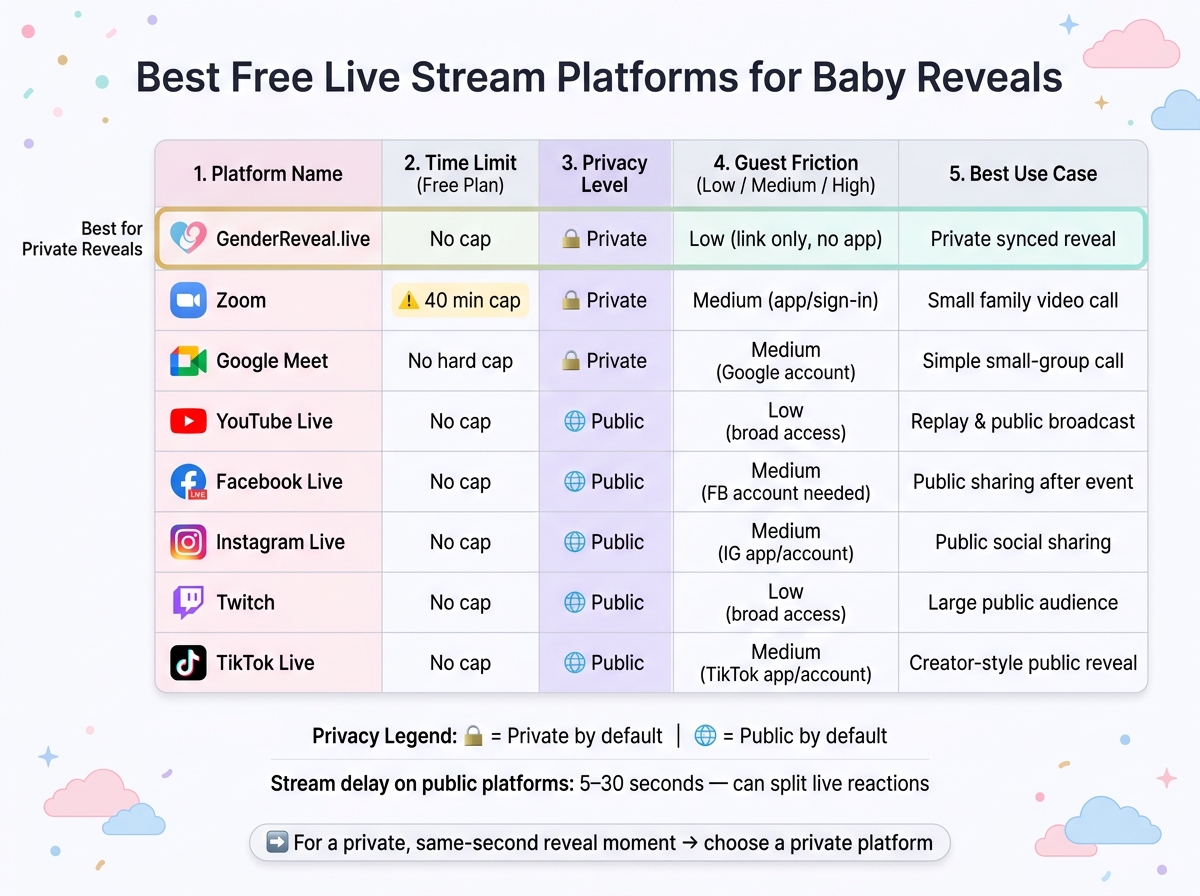
Best Free Live Stream Platforms for Baby Reveals: Quick Comparison
| Platform | Time Limit on Free Plan | Privacy | Guest Access | Best Use |
|---|---|---|---|---|
| GenderReveal.live | No short-call cap noted | Private by default | Link in browser | Private reveal with same-time timing and countdowns |
| Zoom | 40 minutes for group calls | Private | May need app/sign-in | Small family video call |
| Google Meet | Free call format | Private | May need Google account/app | Simple small-group call |
| YouTube Live | No hard free stream cap noted | Public by default | Broad access | Replay and public broadcast |
| Facebook Live | No hard free stream cap noted | Public by default | Facebook account often needed | Public sharing after the event |
| Instagram Live | No hard free stream cap noted | Public by default | Instagram app/account needed | Public social sharing |
| Twitch | No hard free stream cap noted | Public by default | Broad access | Large public audience |
| TikTok Live | No hard free stream cap noted | Public by default | TikTok app/account needed | Creator-style public reveal |
My takeaway: if you care most about privacy, same-second timing, and low guest friction, a reveal-first tool stands out. If you just need a basic call, Zoom or Meet can do the job. If you want everyone to watch later, public platforms are the easy backup.
sbb-itb-bc05356
1. GenderReveal.live
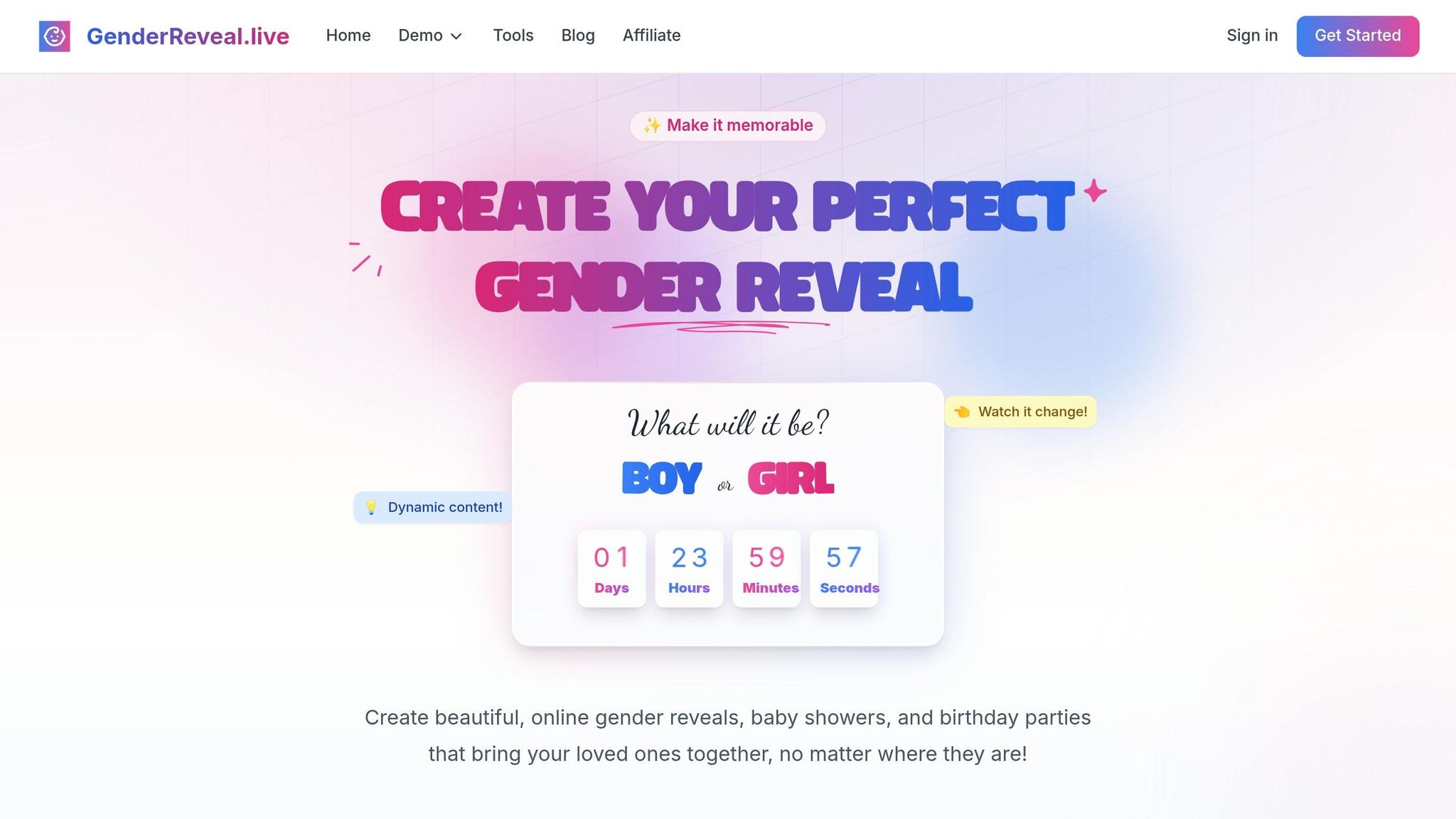
GenderReveal.live puts the spotlight on the reveal itself. Instead of running a nonstop livestream, it uses a synced countdown so everyone hits the big moment at the same time.
Time Limits
For short family reveals, that setup makes a lot of sense. You don’t need to watch a live-stream clock or keep people waiting. You pick the reveal time in advance, and the countdown handles the rest. That helps keep the event tight and on schedule.
Guest Capacity
Guests join with a shareable link, so there’s no app to install and no account to make. It works on phones and desktops, which is helpful when friends and family are joining from different time zones.
Privacy and Replay
The event is private by default and only open to people who have the link. There’s no public feed and no ads in the middle of the moment. You can also save highlights to watch later.
Family-Event Fit
It comes with live voting and prediction polls, Trustee Mode, and RSVP management with reminders and a live head count. Trustee Mode means a trusted person can enter the result, so the parents learn it at the same time as everyone else. That’s a nice fit for a reveal-centered event, but less so for a long video hangout.
Trade-off: it is reveal-first, not video-first.
If you want a live video room instead of a reveal page, the next platform is a better fit.
2. Zoom
If you want a plain video call instead of a reveal page, Zoom is one of the easiest picks. It works best as a private video call for very small reveals.
Time Limits
Zoom's free tier caps group calls at 40 minutes. There’s no synced reveal timer or countdown, so the host has to cue the big moment.
Guest Capacity
Zoom's free tier is best for small family reveals. Guests may need to download the app or sign in, which can slow things down for older relatives or anyone who doesn’t want to install one more app.
Privacy and Replay
Zoom keeps the reveal private for invited guests, and hosts can record the call to share later. The replay process is manual, not automatic.
Family-Event Fit
Zoom works well when relatives live in different time zones because everyone joins the same live call. That said, it doesn’t include online gender reveal ideas like countdowns, voting, or reveal-style effects. So while Zoom can handle a small private reveal, it isn’t built to make the moment feel extra special.
If you want another familiar video-call option with less guest friction, Google Meet is next.
3. Google Meet
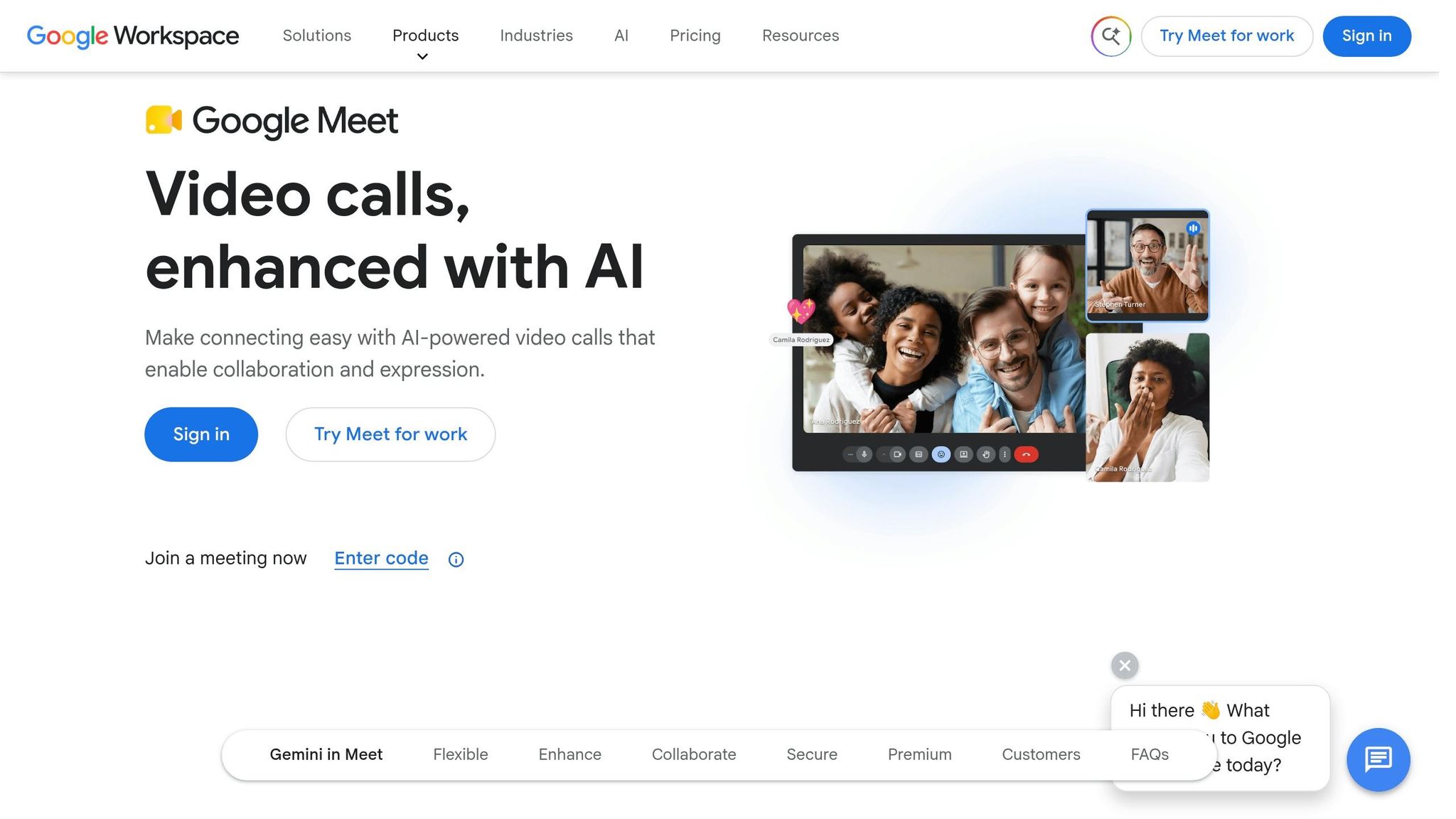
Google Meet sticks to the standard video-call setup. That makes it easy to use, and the host can get things running without much hassle. It’s also free.
Time Limits
The main drawback is the format itself. Meet gives you a plain, stripped-down layout, so the reveal moment relies on what you say and how you time it, not on built-in effects or event-style tools.
Guest Capacity
Google Meet’s free tier works best for a small family group. Some guests may need a Google account or the app, which can slow things down for older relatives joining from other time zones.
Privacy and Replay
Meet keeps the call private for invited guests, but replay sharing isn’t especially smooth.
Family-Event Fit
Meet is fine for a simple private check-in, but it doesn’t include countdowns, voting, or synced reveal timing. So the host has to run the whole moment by hand. People can join from anywhere, which helps when family is spread out. But if the video lags, reactions can land a few seconds apart instead of all at once. That makes Meet practical for far-away relatives, but not the best pick for a shared surprise moment.
YouTube Live is the next step if reach matters more than privacy.
4. YouTube Live
If privacy isn't your top concern, but replay and reach are, YouTube Live is the next free option worth a look. The main friction point isn't the reveal itself. It's getting access set up. On desktop, going live is usually the easier path, but you need to verify your account first, and that step can take up to 24 hours before live streaming is enabled. So this works best when you plan ahead. It helps to think of YouTube Live as a broadcast tool, not a private room for close family.
Access and Timing
YouTube Live doesn't place a hard time limit on free streams, which gives you plenty of room for the event. The tradeoff is the verification delay. If you wait until the last minute, you may get stuck. There also isn't a synced countdown or built-in reveal timer, so the host has to cue the big moment by hand.
Privacy and Replay
YouTube Live is public by default, which makes it a weaker fit for a family-only reveal. It can also invite unwanted viewers and comments unless you stay on top of moderation. On top of that, the YouTube player and channel branding remain on screen, so the event feels less personal than a private event page.
Where YouTube Live does well is replay. You can save the stream and send it later to relatives who missed the live moment.
Family-Event Fit
Guest capacity on YouTube Live is basically unlimited, but the platform is built for audiences, not small, close-knit groups. For families spread across time zones, that can still work well if your goal is to broadcast the reveal. But the 5- to 30-second delay means reactions won't happen at the same time, which can take some energy out of the moment. It also doesn't include countdowns or live voting, so it feels less hands-on for guests.
If replay matters most, YouTube Live is a practical free pick.
If you want an interactive virtual gender reveal platform that feels more natural for a family event, the next option fits that use case better.
5. Facebook Live
If you want a similar broadcast setup with familiar social reach, Facebook Live is the next free option. It works best as a replay tool, not the main moment.
Privacy and Audience Control
Facebook is public by default, so privacy comes down to your settings. On top of that, invites can get buried in busy feeds, which means some relatives may miss the live moment.
Timing and Guest Capacity
Guests usually need a Facebook account, and that can leave out relatives who don't use the app.
Replay and Family-Event Fit
Facebook Live doesn't offer a synced countdown or reveal-first features, so it feels more like a broadcast than creative online gender reveal ideas that prioritize a shared surprise. Its main upside is simple: you can save the stream and share it later, which is where Facebook Live earns its place.
RevealTogether founder Yassir Halaoui calls it a supplement, not the main event.
Use Facebook Live after the reveal. Share the clip later with relatives who missed the live moment.
If you want the same live-social feel in a more casual format, Instagram Live comes next.
6. Instagram Live
Instagram Live is free, but it's built more for public sharing than a private family moment. Every guest needs an Instagram account and the app installed, which adds friction fast, especially for relatives who don't already use it. For a private, all-at-once reveal, that's a problem.
It also defaults to public viewing, so you have to do extra setup before going live if you want more control over who can watch. And if that setup isn't handled well, random comments from strangers can cut right through the moment. Not ideal when you're trying to keep things close and personal.
There's also Instagram's 5- to 30-second delay. That may not sound like much, but during a baby reveal, a few seconds can change the whole feel. Some guests may see the surprise before others, which takes away from that shared, same-second reaction, especially for family watching from far away.
Instagram Live is a poor fit for a live baby reveal because it doesn't offer synced countdowns, voting, or other tools built for this kind of moment. A better plan is to do the actual surprise in a private setting first, then post the live clip afterward as a Story or Reel. If you want that same live-social vibe for a different crowd, TikTok Live is next.
7. Twitch
Twitch is free and can handle a short live reveal event without much trouble. Still, for a family-centered celebration, it’s usually a weaker match.
Time Limits and Guest Capacity
If you’re planning a short reveal for relatives across different time zones, Twitch can support the schedule and the crowd. There’s no meaningful time limit, and the platform can host a large viewer audience. That helps when people are joining from different places.
The trade-off is timing. Because Twitch has stream delay, reactions may not happen at the exact same moment for everyone.
Privacy and Replay
Twitch is public by default, so it makes more sense only if you’re okay with broader visibility. The platform also lets you save the stream so people can watch it later.
Family-Event Fit
For an intimate family event, Twitch doesn’t feel like the best place for it. The interface feels less personal than a private reveal page, and there’s often a 5- to 30-second delay between what different viewers see. That means the big moment may not feel perfectly in sync for everyone.
Twitch can work for a broadcast. It just doesn’t feel built for a private family surprise.
If you want a more casual social-stream option with a different audience, TikTok Live is next.
8. TikTok Live
TikTok Live is free, but it’s a better match for creators who want broad reach than for families who want to keep a reveal private. If the goal is a small shared moment with close relatives, TikTok Live isn’t a strong pick.
Privacy and Reach
TikTok Live is public by default, which means you can’t lock it down to an invited guest list. That’s the big issue here. A baby reveal usually feels more like a living-room moment than a stage performance.
You can save the broadcast and send it later to relatives in other time zones. That helps with replay, but not with privacy during the event itself.
Family-Event Fit
Guests need the TikTok app and an account, and the 5- to 30-second delay can throw off live reactions. In a short reveal, that lag matters. One person cheers, another is still waiting, and the whole thing feels a little out of sync.
For that reason, TikTok Live is better for sharing the news after the reveal than for hosting the reveal itself. It can spread the moment far and wide, but it doesn’t give families the private, same-time feel most baby reveals want.
That brings up the last piece: which free platform is fastest, most private, and easiest for families in different time zones?
Which Platform Wins for Time, Privacy, and Cross-Time-Zone Reveals
After looking at each platform, the fastest way to choose comes down to one thing: what matters most to you - privacy, timing, or guest ease.
For privacy, GenderReveal.live is the best fit because it’s private by default and shared through a link. Zoom can work well too, especially if you use a private link and turn on the waiting room.
For time limits, GenderReveal.live and the public live-stream platforms avoid Zoom’s 40-minute free cap.
For guests in different time zones, synced countdowns make the biggest difference. GenderReveal.live’s built-in countdown timer helps everyone hit the same “zero hour” at once.
If you want the answer at a glance, use the chart below.
| Use Case | Best Platform(s) | Key Trade-off |
|---|---|---|
| Maximum privacy | GenderReveal.live, Zoom | Zoom works best with a private link and waiting room |
| No free time cap | GenderReveal.live, YouTube Live, Twitch, Instagram Live, Facebook Live | Public live streams are less private |
| Cross-time-zone sync | GenderReveal.live | Requires choosing one shared start time |
| Lowest guest friction | GenderReveal.live | Guests join by link in a browser; no app needed |
| Best for replay and public sharing | Instagram Live, Facebook Live | Public audience; less privacy control |
These trade-offs make it easier to narrow down your shortlist.
Pros and Cons of Each Platform
After the platform-by-platform breakdown, this table is the fastest way to compare the trade-offs.
If you want the short version, this is it: some platforms are built for a private family moment, while others work better for a public livestream. That difference changes almost everything, from guest access to timing to how the reveal feels in the moment.
| Platform | Major Benefits | Main Drawbacks | Best Suited For |
|---|---|---|---|
| GenderReveal.live | Private by default; synchronized countdown; live voting; RSVP reminders; real-time head count; no app download needed for guests | Pricing isn't listed upfront | Families wanting a private, interactive reveal across multiple time zones |
| Zoom | Familiar for small private calls | No countdown or reveal tools; app download required; possible audio/video hiccups; low fit for reveals | Very small private groups who want to chat during the reveal |
| Google Meet | Simple, familiar video calls | App download required; few reveal features; low fit for a surprise moment | Small, casual family calls with minimal setup |
| YouTube Live | Free; broad public reach; strong replay value | Public by default; no specialized reveal tools | Public announcements or families comfortable with a public audience |
| Facebook Live | Free; replay-friendly; familiar to many guests | 5–30 second video delay; requires guest Facebook accounts; public-first | Families already connected on Facebook who don't mind a public stream |
| Instagram Live | Free; replay-friendly; familiar to many guests | 5–30 second delay means guests see the reveal at different times; requires accounts; public-first | Influencers or creators sharing with a large public following |
| Twitch | Free; public livestream reach; built-in engagement tools | Public by default; no specialized reveal tools | Large public audiences; not ideal for intimate family events |
| TikTok Live | Free; massive reach | Public by default; may require a follower threshold to go live; no synchronization | Public-facing reveals for creators with an established following |
A quick pattern jumps out from the table. Platforms like Zoom and Google Meet are fine for basic calls, but they don't do much to support the actual reveal. You're left piecing together gender reveal ideas yourself.
On the other side, YouTube Live, Facebook Live, Instagram Live, Twitch, and TikTok Live give you reach. But that reach often comes with trade-offs: less privacy, less timing control, and fewer tools made for this kind of event. In a gender reveal, timing matters. If one guest sees the result 20 seconds after everyone else, the moment can feel a little off.
That’s why GenderReveal.live stands out in a different way. It leans into the stuff families usually care about most: privacy, synced timing, guest interaction, and easy access without making everyone download an app.
So when you're comparing options, the main thing isn't just which platform has video. It's which platform matches the kind of event you want to have: private and coordinated, or public and broad.
Conclusion
Using the same four factors from above, the choice gets pretty simple: guest count, privacy, same-time viewing, and how polished you want the reveal to feel.
For a small, private family call, Zoom or Google Meet usually do the job. You’ll handle the timing and cue the reveal yourself, which is fine when the group is small and everyone knows each other.
If privacy matters less, public livestreams are the easy fallback. Facebook Live or Instagram Live can work well for a simple public broadcast, but guests may see the reveal a few seconds apart.
If the reveal itself matters most, GenderReveal.live is the strongest fit. The synchronized countdown, live voting, Trustee Mode, and built-in RSVP management are there from the start. That means less setup for you and a smoother experience for guests.
Here’s the fastest way to narrow it down:
| Your Priority | Best Fit |
|---|---|
| Small, two-way family call | Zoom or Google Meet |
| Public broadcast | Facebook Live or Instagram Live |
| Private, synchronized reveal with interaction | GenderReveal.live |
The best platform is the one that makes every guest feel present, whether they’re nearby or far away.
FAQs
How private is a virtual baby reveal?
A virtual baby reveal can feel much more private when you use a platform built for private celebrations instead of public social media. Only invited guests can join, which gives you more control over who gets to see the moment and who can share it.
It also gives family a safe place to gather without needing an account or an app download. That keeps the celebration simple, personal, and out of the public eye.
What if guests are in different time zones?
That’s a common challenge, but virtual reveal platforms can make it much easier to get everyone in one place. You can set up one shared event so friends and family can join from anywhere and watch the reveal live.
It’s simple on their end too. One link opens right in a web browser, so there’s nothing tricky to figure out, and built-in countdown timers help everyone hit the big moment together.
How do I save and share the reveal later?
With GenderReveal.live, you can hold on to the big moment without stressing about missed reactions. The platform saves predictions, heartfelt messages, and live cheers, then lets you download highlights after the party.
That means you get a digital keepsake you can revisit anytime. And when you want to post your favorite moments on social media later, it’s easy to do.