
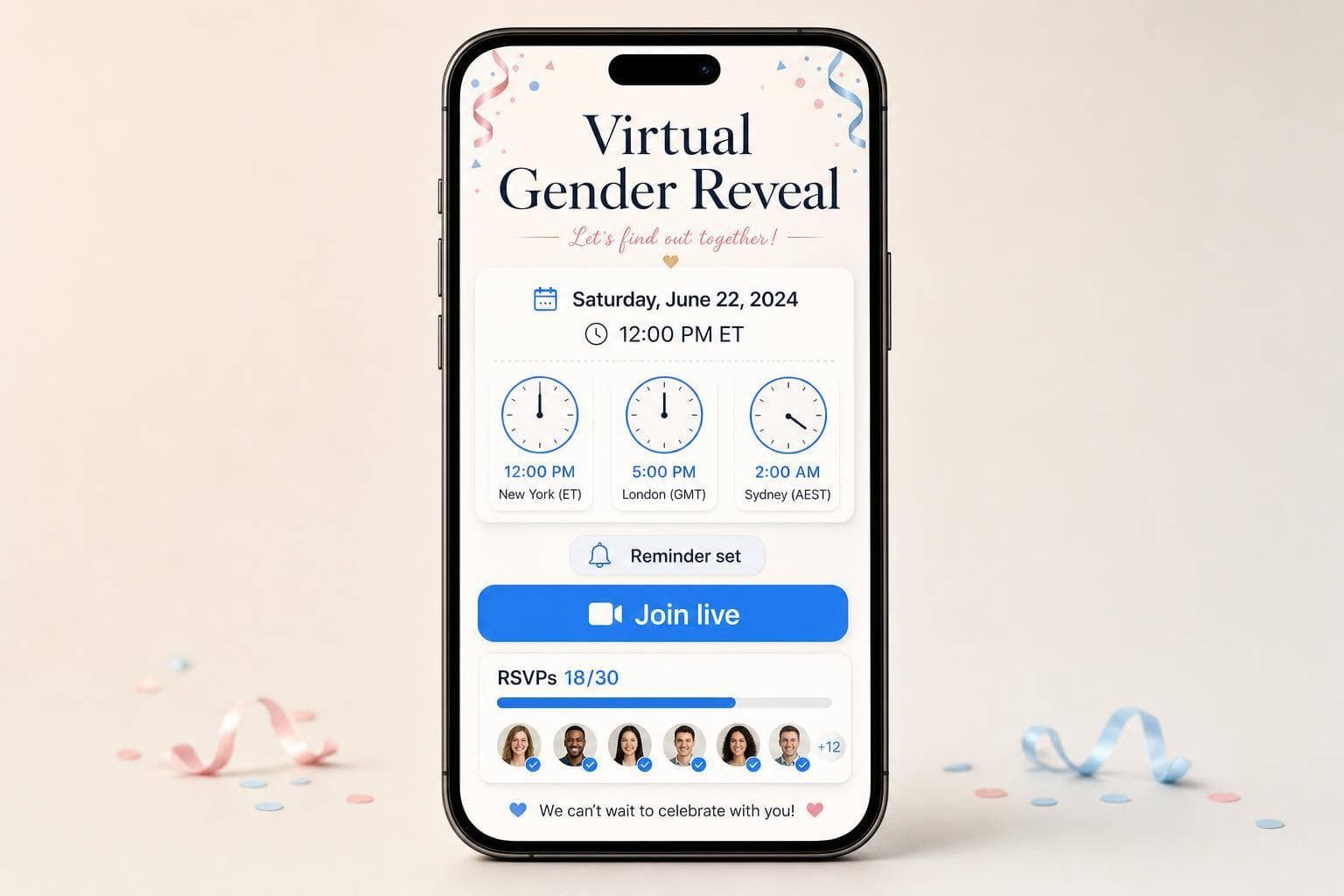
RSVP Tools for Virtual Gender Reveals
If guests miss the link or get the time wrong, the reveal can fall apart fast. I’d keep the setup simple: using gender reveal tools for one RSVP page, one join link, clear time zones, and reminders at 7 days, 3 days, and 24 hours before the event.
Here’s the short version:
- I want one place to track yes, maybe, no, and no reply
- I need the event time written clearly, like Saturday, October 10, 2026, at 3:00 PM CT
- I’d send the same join link in every reminder
- I’d use RSVP data to shape the event, from timing to polls to message length while incorporating online gender reveal ideas to keep guests engaged
- If guests live across the U.S., I’d list multiple time zones, like 7:30 PM ET / 4:30 PM PT
One stat that matters: if even 5 to 10 guests ask where the link is on reveal day, that’s enough to turn a short event into a scramble. A single RSVP page cuts that back.
What stood out to me in this piece is simple: the best RSVP setup does more than collect names. It helps me sort guests, send follow-ups only to non-responders, watch the head count change live, and make joining the event easy for less tech-savvy family members.
Quick comparison
| What I’d look for | Why I care |
|---|---|
| Response tracking | I can see attendance as replies come in |
| Guest filtering | I can follow up with only the people who still need a nudge |
| Automated reminders | I spend less time sending repeat messages |
| One-click join | Guests have fewer steps before the reveal starts |
| Countdown and polls | The event feels more interactive, not like a plain video call |
| Message collection | I can save notes from friends and family after the reveal |
If I were planning a virtual reveal, my goal would be simple: make it easy to RSVP, easy to join, and easy to plan your online gender reveal.
sbb-itb-bc05356
Core RSVP Features That Work Best for Virtual Gender Reveals
Not every RSVP feature carries the same weight for a virtual gender reveal. The ones that matter most do three jobs well: show who's coming, nudge people who haven't replied, and make it dead simple to join the event.
That matters because the reveal happens live. If a guest misses it, they miss the moment. For virtual reveals, the main things to look for are guest organization, reminders, and a smooth join link.
Guest List Organization and Response Filtering
A basic name list doesn't tell you much. It's far more useful to group guests by relationship - immediate family, extended family, friends, and co-workers - or by household. Then you can filter by response status: attending, maybe, declined, or no response.
That setup gives you a clearer picture of who you're inviting and who's most likely to show up. It also helps if you want to tailor live voting or trivia to the people expected to attend. If your U.S. guest list spans more than one time zone, sorting by location can help you land on a reveal time that fits the most people. And when you filter by status, follow-up gets easier because you're only nudging the guests who still need a reminder.
Once the list is organized, reminders are a lot easier to send with purpose.
Automated Reminders and Real-Time Head Counts
Automated reminders save time and cut down on missed replies. For U.S. hosts, a simple reminder schedule at 7 days, 3 days, and 24 hours before the event works well.
Each reminder should include:
- The event time
- The time zone written out
- The join link
Some tools stop reminders once a guest RSVPs, which helps confirmed guests avoid getting the same message again and again.
As replies come in, a live head count updates right away. That makes it easier to plan games and polls around the final turnout.
After the replies are set, the last piece is making join day easy.
One-Click Join and Clear Event Details
The easier the join link, the better the turnout tends to be. One clear link that takes guests straight to the event - without account setup, passwords, or extra steps - cuts the friction that makes people give up before the reveal starts. That's a big deal for guests who aren't very comfortable with tech.
Your RSVP page should also work as the event's info hub. It should include the date, time, time zone, join link, and a spot where guests can leave a prediction or message. Asking for predictions during RSVP builds interest early and gives you something fun to use during the reveal.
These are the core RSVP basics to look for in a platform built for a live reveal.
GenderReveal.live: Built-In RSVP Management for Online Reveals
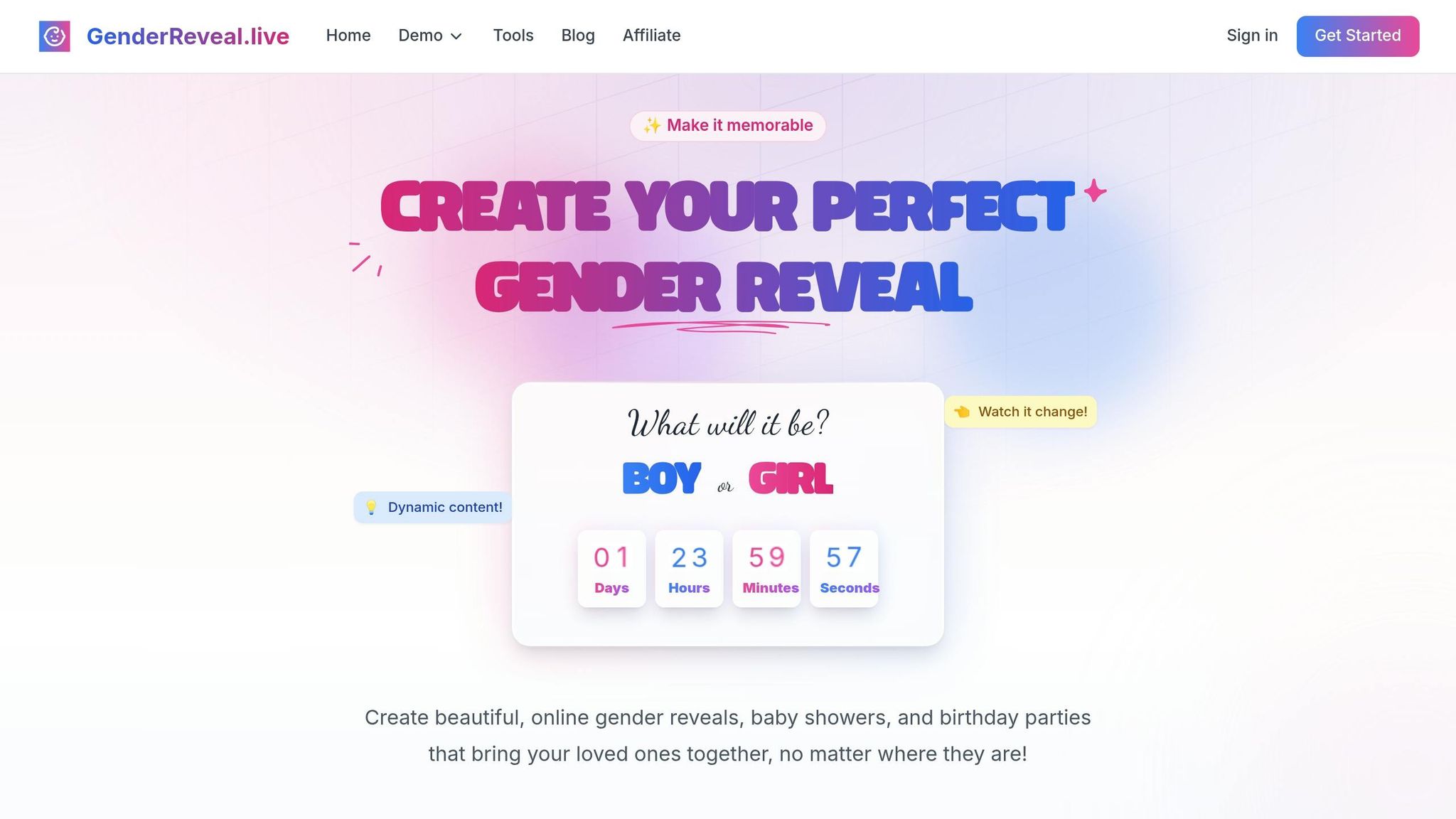
GenderReveal.live has those RSVP basics built right in. Instead of splitting things across different tools, the platform keeps RSVP tracking and the reveal on the same event page. Guest tracking, reminders, and reveal access all live in one spot, which makes the whole setup feel a lot less messy.
RSVP Tracking, Reminders, and Guest Communication in One Place
The dashboard updates live, so hosts can see replies as they come in and follow up only when they need to. Guests can respond right from the event page, which helps keep the head count up to date without extra back-and-forth.
The platform also sends automated reminders before the reveal, helping guests join on time instead of trickling in late. And if you need to send an update, you can message confirmed guests only. That keeps communication tight and makes last-minute changes easier to handle.
Once the guest list is locked in, the same event page helps keep people interested before the reveal begins.
Interactive Features That Keep Confirmed Guests Involved
A countdown timer gives everyone a shared moment to look forward to. Live voting adds a playful layer, turning the reveal into something guests can take part in instead of just watch.
Trustee mode keeps the result hidden until the chosen person releases it, so parents find out at the same moment as everyone else. After the reveal, guest message collection gives friends and family a place to leave notes, turning the page into a keepsake instead of just a list of attendees.
Setup Details for U.S.-Based Hosts
For U.S.-based guests, use a date and time format like Saturday, October 10, 2026, at 3:00 PM CT. Spell out the time zone so there’s no confusion.
If your guest list stretches across the country, add more than one time zone in the event description, like 7:30 PM ET / 4:30 PM PT. It’s a small detail, but it saves people from guessing.
A few setup tips help keep things smooth:
- Use matching templates so the RSVP page, countdown, and voting screen feel connected
- Copy the event link and send it through the channel your guests use most
With the guest list and timing set, you can plan the reveal around the final turnout.
How to Use RSVP Data to Plan a Smoother Reveal Day
Build a Clean Guest List Before Invitations Go Out
RSVP data should do more than give you a head count. It should help shape the entire reveal.
Before you send invitations, create one master list with every possible guest. This gives you one place to track the people who matter most on reveal day and keeps the process from getting messy later.
Include details like:
- Name
- Contact info
- Guest group
- RSVP status
- Time zone
- Key-guest status
With that setup, you can send follow-ups only to the people who still haven't replied instead of blasting the same message to everyone again.
Once your list is clean, you can use it to lock in the best reveal time.
Use RSVP Responses to Pick the Best Reveal Time
After locations are sorted, pick the reveal time based on the guests who matter most. Confirmed RSVPs give you a much better read on what time will work across time zones.
For coast-to-coast guest lists, an afternoon Eastern start often works best. 5:00 PM ET / 2:00 PM PT is often the easiest fit.
On reveal day, keep GenderReveal.live's dashboard open. If key family members have RSVP'd yes but still haven't checked in with two minutes left, send a quick nudge and pause the countdown for five minutes. That small buffer can make a big difference when grandparents or a close sibling are still trying to log on.
Size Games, Polls, and Messages Around Your Final Head Count
Once the time is set, use your final RSVP count to shape the reveal itself. Your confirmed total is the clearest signal for how the event should run.
For smaller groups, keep the live intro short. For larger groups, simple polls usually work better than long trivia rounds. A poll like Team Girl vs. Team Boy keeps people involved without slowing down the big moment.
You can also feature pre-submitted heartfelt messages in a curated segment. That helps the reveal feel personal whether you have 20 guests or 50. With a smaller group, it can feel close and conversational. With a bigger group, it can feel more like a fast, interactive watch party.
Quick Comparison and Final Takeaway
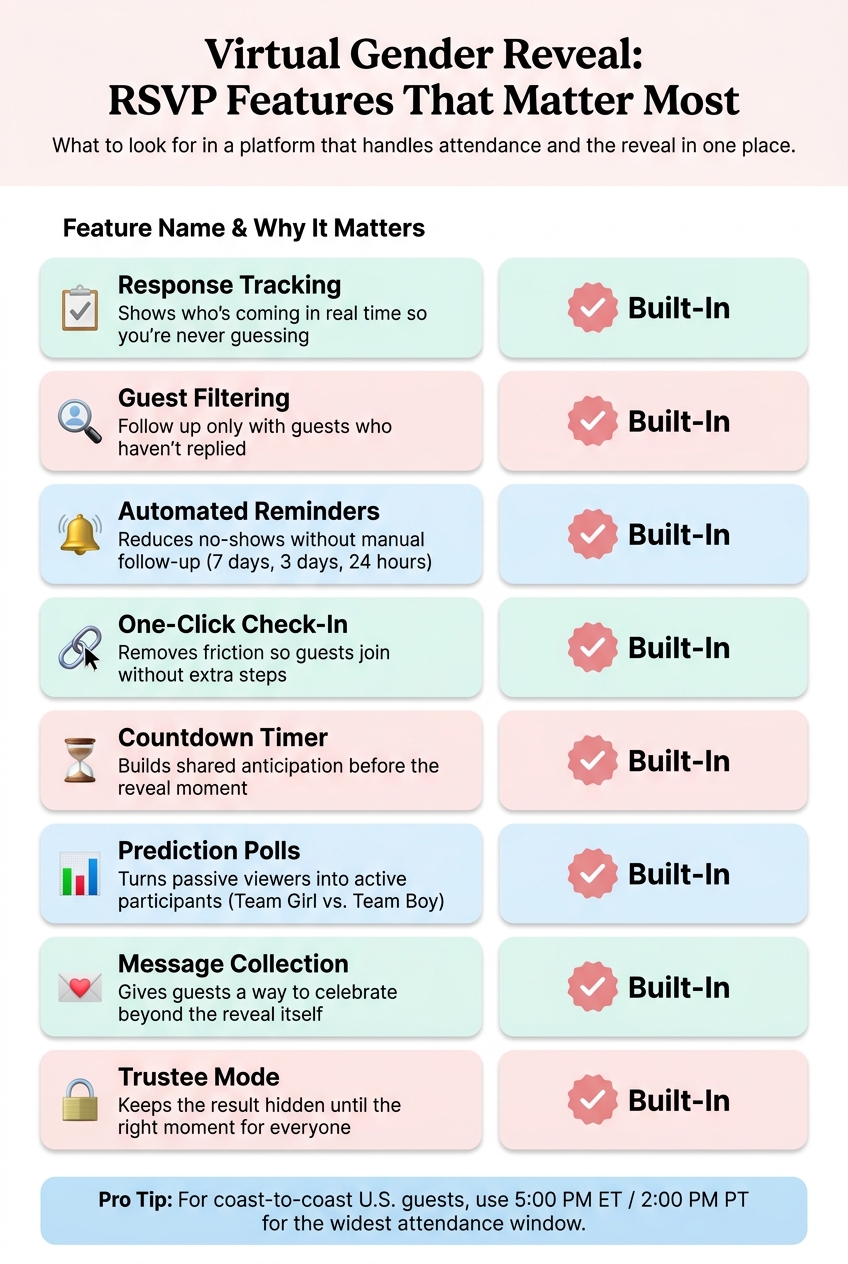
Virtual Gender Reveal RSVP Features Comparison Guide
RSVP Feature Comparison Table
Once your guest list is cleaned up, the last move is picking a setup that keeps RSVP tracking and reveal-day engagement in the same place. That matters most when you want one system to handle attendance and the reveal itself without extra juggling.
| Feature | Why It Matters for a Virtual Gender Reveal | GenderReveal.live Support |
|---|---|---|
| Response Tracking | Shows who's coming in real time so you're never guessing | Built-in |
| Guest Filtering | Lets you follow up only with guests who haven't replied | Built-in |
| Reminder Support | Reduces no-shows without manual follow-up | Built-in |
| One-Click Check-In | Removes friction so guests join without extra steps | Built-in |
| Countdown Timer | Builds shared anticipation before the reveal moment | Built-in |
| Prediction Polls | Turns passive viewers into active participants | Built-in |
| Heartfelt Message Collection | Gives guests a way to celebrate beyond the reveal itself | Built-in |
| Trustee Mode (Surprise Reveal) | Keeps the result hidden until the right moment, for everyone | Built-in |
Key Takeaways
Once RSVP responses are final, use them to lock in the reveal timing and decide how interactive you want the event to be. If you're combining this with a virtual baby shower, coordination becomes even more critical. The right setup keeps your guest list organized, gives you a real-time head count, and helps the reveal feel like a shared celebration.
For U.S.-based hosts dealing with multiple time zones, use a clear label like 3:00 PM ET so no guest has to guess.
Interactivity isn't just a nice extra. When built-in reveal features connect straight to your RSVP data, your final head count shapes everything, from when the countdown begins to how personal the message segment feels. That's the difference between a basic live stream and a moment people will remember.
FAQs
What should I include on the RSVP page?
Keep your RSVP page clear and inviting. Include the event date, time, and time zone - such as 3:00 PM EST - along with a simple one-click join link. Also spell out that no downloads or account registration are needed.
To build a little buzz, add a prediction poll and a spot where guests can leave heartfelt messages or advice. It also helps to mention that automated reminders will make sure everyone is ready for the big moment.
How do I avoid time zone confusion?
Use built-in scheduling features that automatically adjust the event time for each guest’s local time zone. That way, guests in places like California and Florida see the right time without having to do the math.
For extra clarity, include the specific time zone in the invitation, such as 3:00 PM EST. Pair that with the event link, and it’s clear exactly when to join.
What if guests miss the join link?
If a guest can't find their join link, start with the basics: check that their contact info in your RSVP list is correct. If it is, resend the invite or send the link again through text, email, or social media.
To cut down on last-minute scrambling, GenderReveal.live includes automated reminders. It also helps to ask guests to log in 10 to 15 minutes early so you have a little buffer if any connection issues pop up.