

7 No-Login Guest Photo Portals for Gender Reveals
I’d choose a guest photo portal by upload limits, video support, and storage - not just its QR code. These seven options let guests share without accounts, though hosts may need an account, paid plan, or linked Google Drive.
Quick Comparison
| Portal | Main use | Reported free allowance |
|---|---|---|
| EventPixel | Guest photos and live displays | 100 uploads |
| Wedibox | Photos and reaction videos | 50 uploads |
| GuestPix | Private galleries, downloads, and slideshows | Paid only |
| Kululu | Photos and videos in one gallery | 100 combined uploads |
| WedUploader | Uploads sent to the host’s Google Drive | Depends on Drive storage; check plan terms |
| Pix Wedding | Small family reveals | 20 uploads |
| WeddingSnap | Browser uploads and live slideshows | Check current limits |
These are reported allowances, not verified current offers. I’d check each portal’s live pricing in USD, guest caps, file-size limits, video rules, and gallery deadline before choosing.
My next step: <u>test a phone upload before sending invitations</u>. Then I’d share a QR code at the party, send remote guests the link, check privacy settings, and set a download reminder. For RSVPs, prediction voting, a countdown, or trustee mode, I’d keep GenderReveal.live on a separate, clearly labeled link.
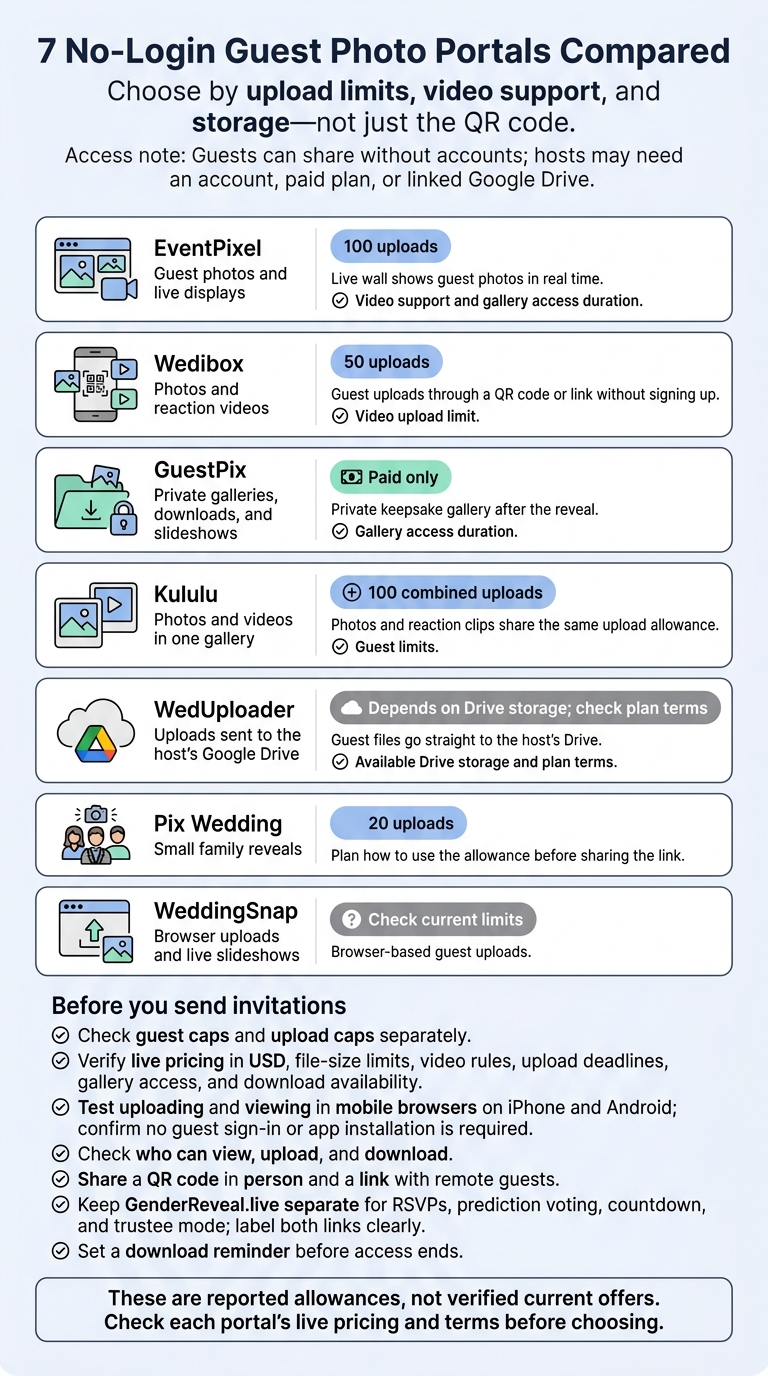
7 No-Login Guest Photo Portals Compared
Compare Guest Access, Upload Limits, and Storage
Check each portal’s contributor count, file limits, video support, upload deadline, and how long the gallery stays live. Guest caps and upload caps are different, so check both.
Before sending invites, confirm guest limits, upload caps, and storage on the portal’s live product page. Check the total price in USD and whether you can download all photos and videos before gallery access ends.
If guests are joining from different places, mobile-browser testing matters more than QR availability. Test both uploading and viewing.
Use mobile access, video support, guest capacity, and download timing to compare the portals below. The reviews show which portal fits each use case, or you can explore other creative online gender reveal ideas for your event.
sbb-itb-bc05356
7 No-Login Guest Photo Portals
Start with your guest count, then compare video support, privacy, and storage options.
1. EventPixel: Guest Uploads and Photo Displays
Best for live reveal displays. The reported free tier includes 100 uploads. Its live wall shows guest photos in real time, helping remote guests feel part of the celebration. This is a key part of interactive online celebrations that bridge the gap for long-distance family. Check video support and how long the gallery stays accessible.
2. Wedibox: Photos and Reaction Videos
Best for reaction videos. The reported free tier includes 50 uploads. Guests can upload through a QR code or link without signing up. Check the video upload limit before choosing a plan.
3. GuestPix: Private Galleries and Downloads
Best for a private keepsake gallery after the reveal. This paid-only option offers no-login guest uploads, private galleries, downloads, and slideshow features. Check how long you’ll have access to the gallery.
4. Kululu: Photo Sharing During the Reveal
The reported free tier includes 100 combined photo and video uploads, so you can keep photos and reaction clips in one gallery. Check guest limits to make sure everyone can contribute.
5. WedUploader: Guest Uploads to Google Drive
Best for saving uploads directly to your Google Drive. Guest files go straight to the host’s Drive, keeping them in a place you already use. Your available Drive storage determines how much you can keep.
6. Pix Wedding: Upload Capacity for Small Reveals
Best for small family reveals. The reported free tier includes 20 uploads - enough for a few favorite moments. Plan how to use that allowance before sharing the link.
7. WeddingSnap: Uploads and Gallery Viewing
Best for live slideshows, with browser-based guest uploads. Check the current upload limit before sharing it.
Choose and Set Up Your Photo Portal
Once you’ve compared the portals, use these setup checks to make your pick.
Estimate Uploads and Review Privacy Settings
Estimate how many households will share photos or videos. Choose a portal that fits your expected upload volume, file-size limits, deadline, storage window, and download needs. Check who can view, upload, and download files.
Test Phone Uploads and Share the Link
Open the guest link in a mobile browser on both iPhone and Android. Make sure guests can upload photos - and videos, if supported - without signing in or installing an app.
Share a QR code with in-person guests and a link with remote guests.
Plan RSVPs and Reveal Activities with GenderReveal.live
Use one event page for RSVPs and live reveal activities. With GenderReveal.live, you can manage RSVPs, run live prediction voting, and display the countdown where guests can easily see it. To keep the parents surprised, use trustee mode so a trusted person enters the reveal result.
Keep the event page separate from the photo portal, and label both links clearly. Send them together so guests know where to RSVP and where to upload.
Conclusion: Check Guest Access and Save Your Photos
Before sending invitations, test one photo upload from your phone. Share a QR code with in-person guests and a link with remote guests. Check the portal’s limits and deadlines before sharing access.
Keep one checklist for guest limits, photo and video capacity, privacy, and storage deadlines. If the portal uses a passcode, include it in the invitation. These checks help guests share through their browsers without signing up for an account.
Set a download reminder before access ends.
FAQs
How many uploads should I budget per guest?
Plan for at least 1 upload per guest, with room for 2 if you expect photos from different angles or several photo-worthy moments. Factor in the event’s length and the moments you want photographed.
GenderReveal.live makes photo uploads easy through a shared link, but the search results don’t state a fixed per-guest limit. For planning, 1–2 uploads per guest is the safest estimate - not a confirmed platform limit.
Can I approve photos before they appear live?
The available information does not confirm whether GenderReveal.live lets you approve guest photos before they appear in the gallery. It describes a secure, private space with access controlled through a dedicated link. But access control isn’t the same as photo approval.
The documentation focuses on live voting, countdown timers, and built-in RSVP management - not approval before photos go live.
Can guests upload after the reveal ends?
Yes, guests can still visit your GenderReveal.live event page after the reveal ends. They can use the same event link to revisit recorded highlights, predictions, and heartfelt messages. The platform securely stores these memories, keeping your celebration as a digital keepsake long after the countdown ends.